


2026-08-22 07:26:18
I have been blogging for more than half a decade now, and I feel it's important that I document/share my financial position, especially since I remain anonymous and I wish to remain that way.
No, I do not think so. I have yet to buy my dream car, and that is less than AUD35K
But seriously, being rich means I do not need to think about money at all, which is not the case for me and I doubt it ever will be, based on the life I have currently chosen.
I believe I am. My current way of life is geared toward this. I earn a certain amount, and I have deliberately ensured that amount is enough for the way I live my life.
I live a simple life!
YES!
In the grand scheme of things, Yes!
Please do not let the amounts discourage you or encourage you. It's just a bunch of numbers. I know people who have a lot more than I do and are not happy, and others who have a lot less than I do and are happier.
Btw, this is not a start of an annual tradition of blogging about my financial position.
2026-08-19 20:16:35
Hello my dear friends.
I trust you are well.
There are two important updates and one not so important that I wish to share regarding my blog:
That would be all for now. I wish you a great rest of the week. If you have questions or queries, or just want to say hi 👋, please, I encourage you to reach out
2026-08-12 18:58:54
Up until 2019, I regularly donated blood. According to the Red Cross Life Blood app, my first donation was in 2012. However, it has been almost six years since my last donation.
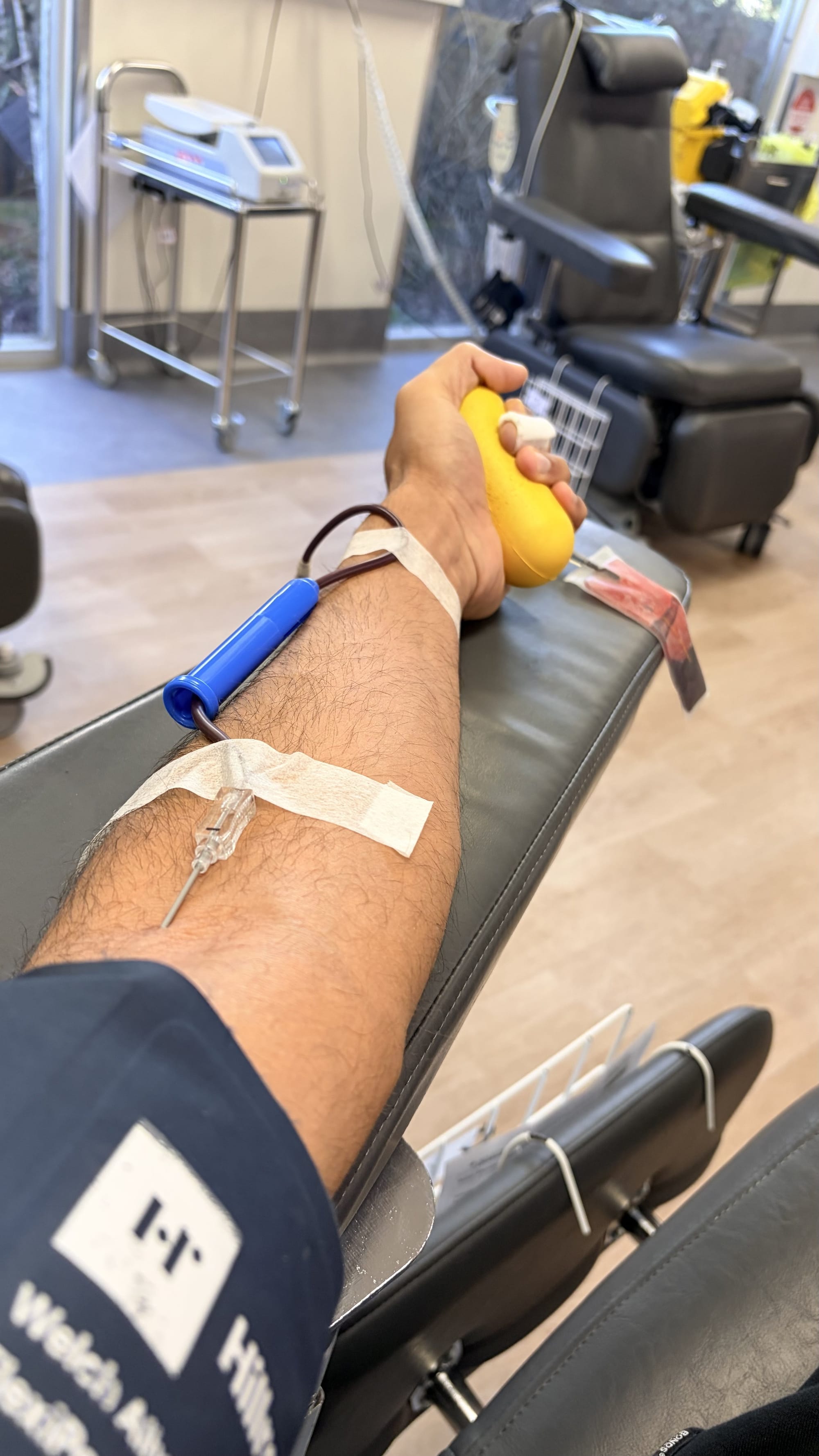
In 2019, an unpleasant experience, combined with the Life Blood donation center discontinuing its visits to my workplace's vicinity, led me to step away from this noble cause. This was not an intentional disconnection, but rather life just got in the way and of course so did Covid.
It is one of my greatest regrets that it took me so long to get back to donating blood but the reason couldn't be more straight forward:
In Australia, blood is neither sold or bought there donation remains the only viable pathway for people who need blood. Frankly this is the best system. Blood is priceless and therefore any value attributed to it meaningless. Afterall, what value would you put on your life?
Nervousness overcame me all day, drinking lots of water means I was going to the throne room more often than I otherwise would. In cold Melbourne weather, after parking the car, the chill took over my body.
As soon as I entered the LifeBood centre, a sense of warmth was felt and I couldnt be more thankful to the staff there to welcoming back me. It felt like a old friend had returned home.
Special shout out to Mark, he found a juicy vein and took out 500ml of blood in 5 minutes. I didn't actually see him inject the needle. I couldn't. I wouldn't. Too scared.
It felt good, actually great. Someone where will get my blood and his/her life will be saved.
I want to make this impact. So, in 3 months' time, when I am eligible to donate again, I will ensure I do exactly that.
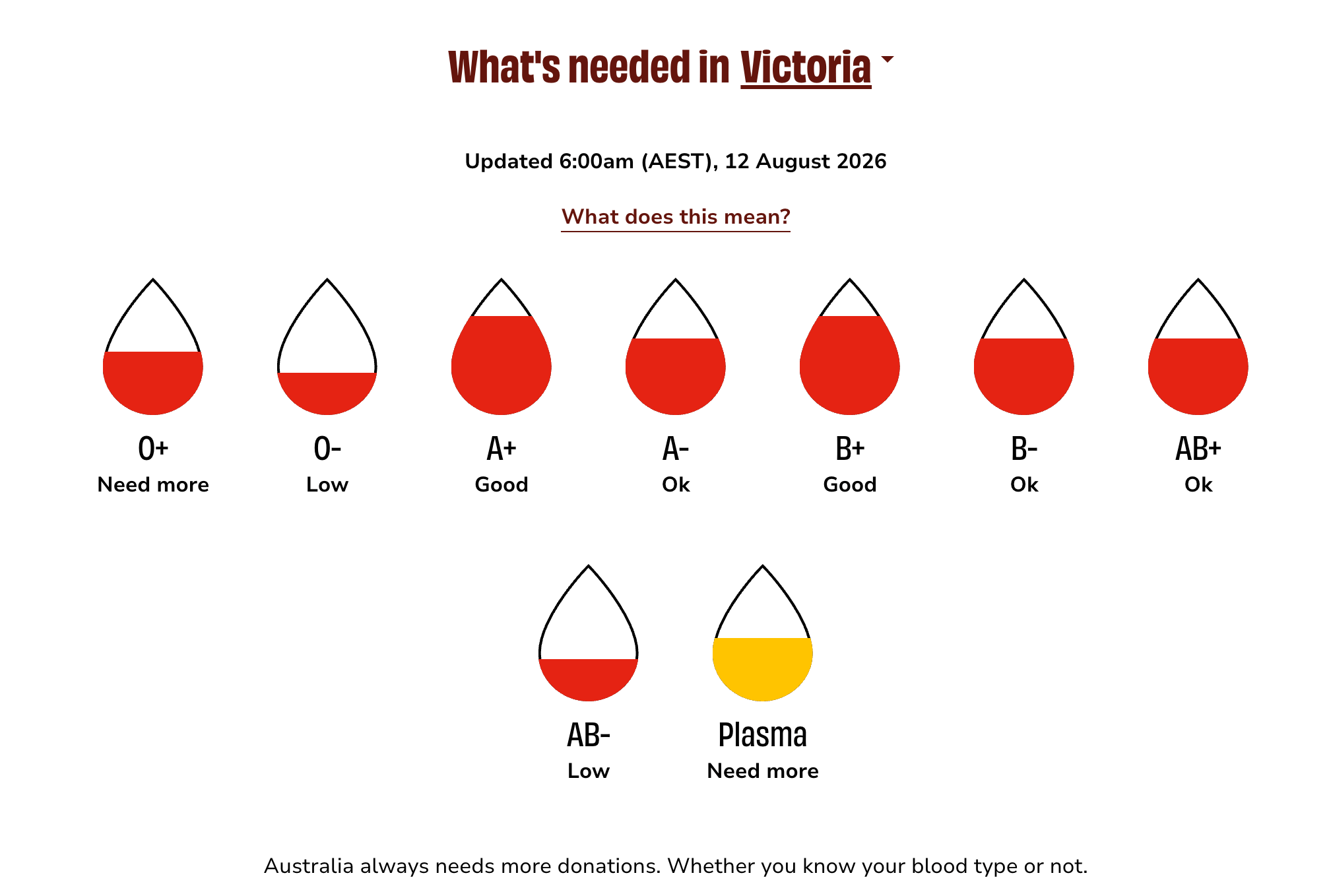
Lifeblood actually publishes daily the blood supplies in any given state in Australia and Australia as a whole:
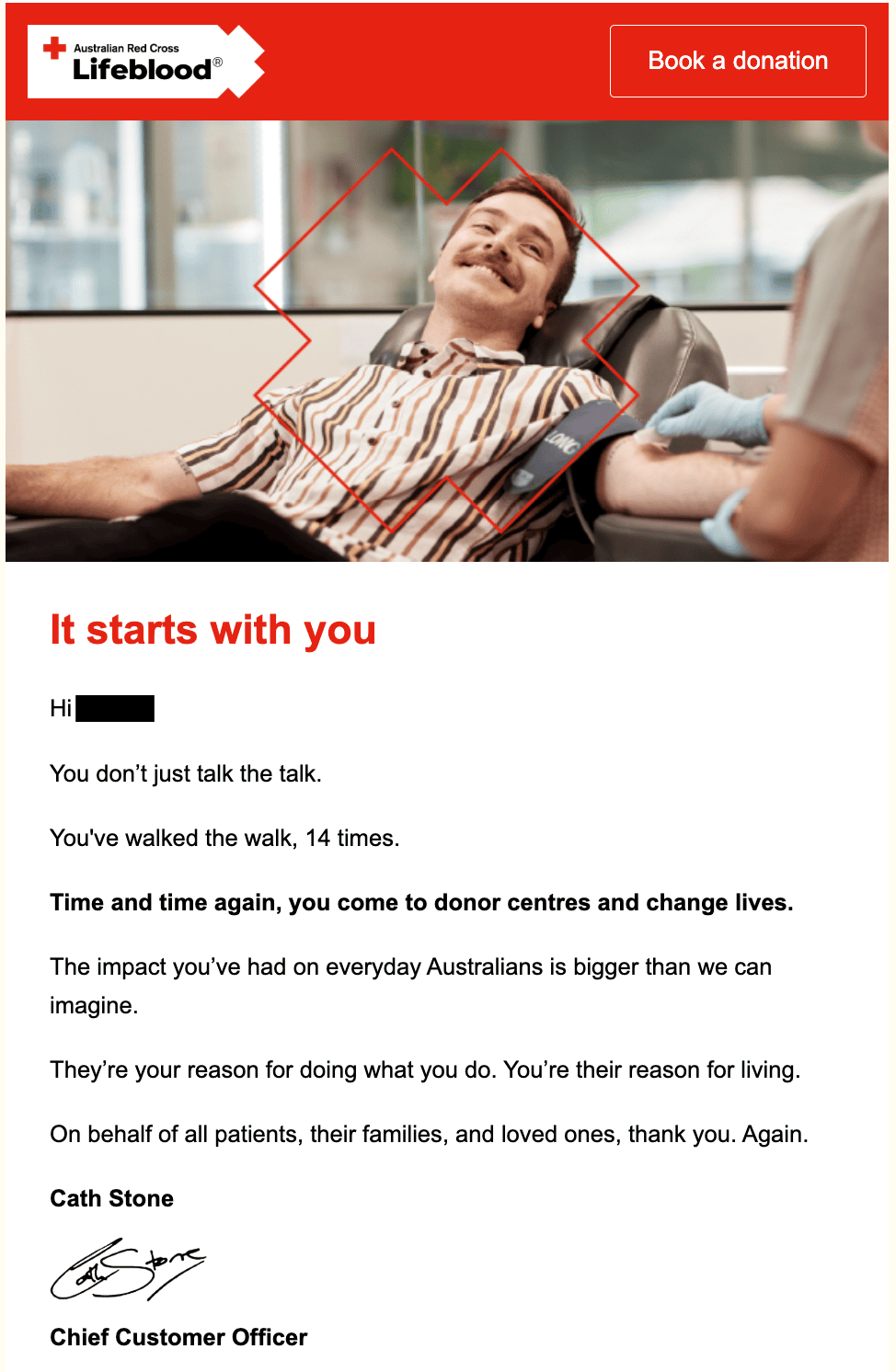
Email received the next day:
2026-07-15 18:36:53
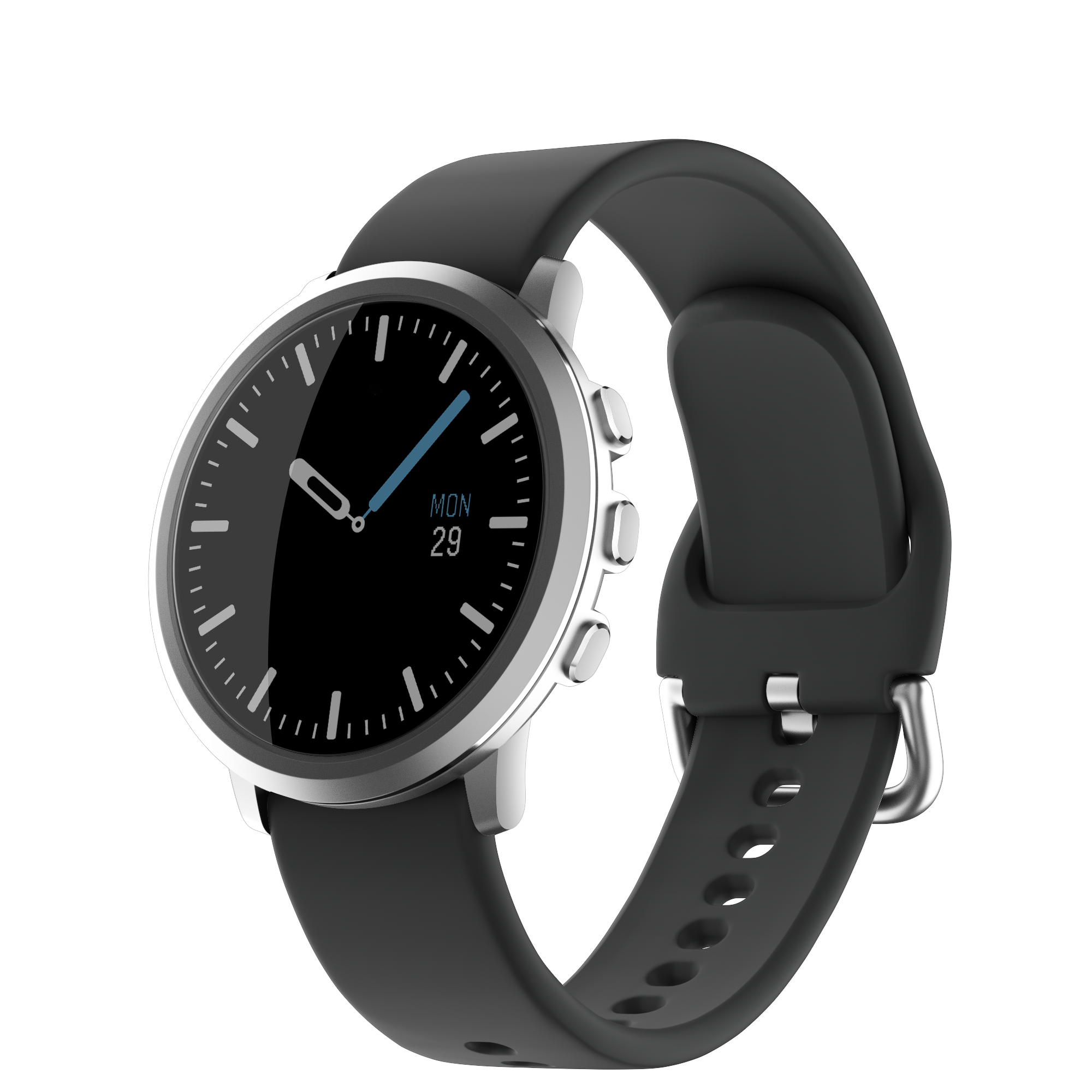
When Pebble 2 was announced, I didnt waste any time in placing my preorder. Accordingly to my preorder email recieved on 19 March 2025:
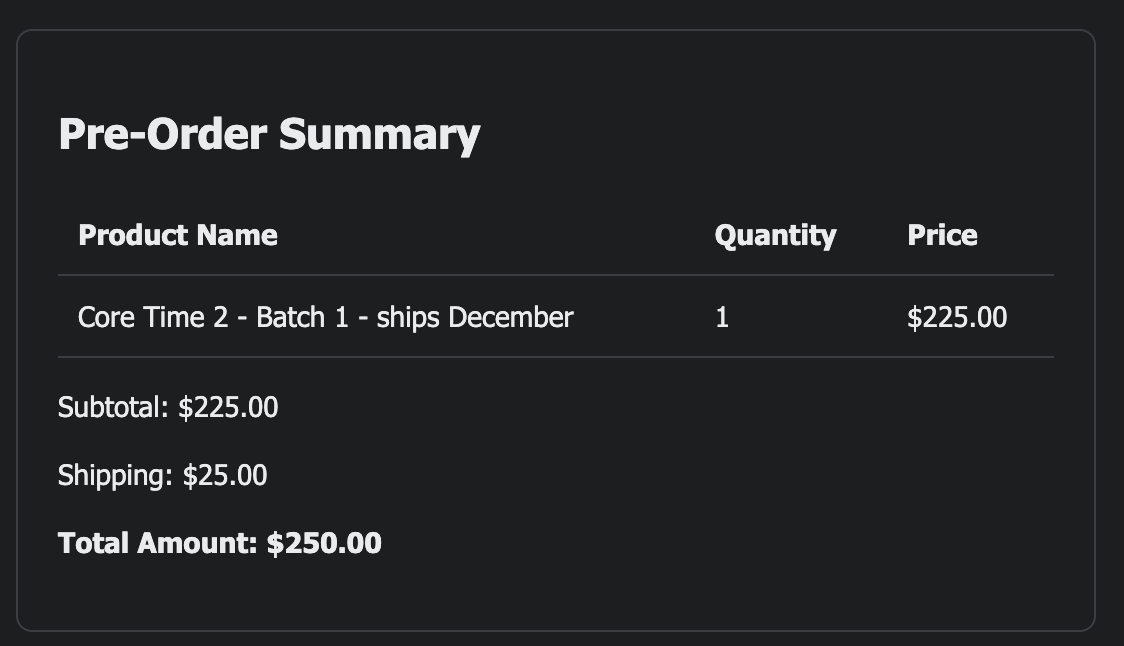
Context:
Anyway, Christmas of 2025 came and went but I didnt get my watch. I understand, things happen. Lots was going on.
In January 2026, Pebble Round 2 was announced. I still have the originally Pebble Round which I wear occasionally to this day. It is the the lightest watch in my collection and it is also the most quirky of the lot. It is the only one that has character, as opposed to the Apple Watch and Pixel Watch. Although the use of colours withing Google's wearOS is also a joy to use.
Thankfully, Pebble allowed me to swap my preorder from the Pebble Time 2 to the Pebble Round 2 and shipping was expected to begin in May 2026. I still prefer a round watch over a square one so that decision was easy.
Obviously, its mid July and no sign of Pebble Round 2. Again, I understand things happen and these things take time.
Honestly, I have merely lost interest in the product. I am tired of waiting. I grabbed an unbelievable deal on the Apple Watch 11 and I still very much enjoy wearing the Pixel Watch 4.
Add to that, on Pebble subreddit, many posts have been hardware issues with the Pebble Time 2 which had led to a another blogpost by the founder of pebble:
I am not blaming Pebble. It isnt easy operating a hardware business. There are lots of moving parts (pun intended).
There was an opportunity to bail, so I have. To their credit, without 48 hours of cancelling my preorder, a refund was provided.
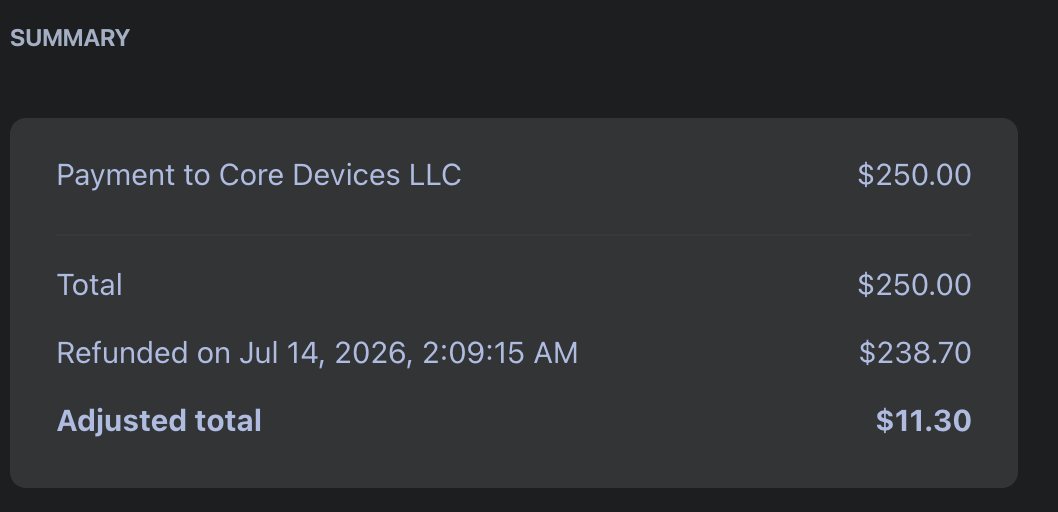
It appears I am out of pocket $11.30 (probably fees etc).
I wish Pebble the very best and it is likely there is a Pebble on my wrist in the distant future. Its just not anytime soon.
2026-07-13 19:38:05
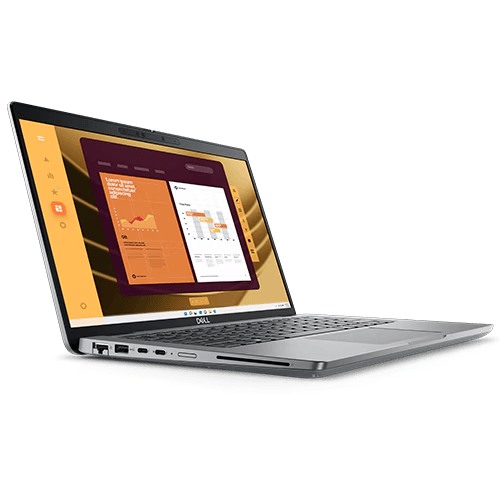
Back in February 2026, I documented my work setup based around my trusty M1 Pro Max. In that blogpost, I mentioned that things have changed significantly. For a recap:
One way to approach this review is simply saying, "It's a corporate Dell laptop" and call it a day. However, that would do great injustice to this machine.
For me, it is my workforce; every single dollar I have earned since September 2025 is by using this laptop. Therefore, regardless of how good or how terrible it is, I have a lot of respect and admiration for the Dell 5450.
Specs:
This laptop is no longer sold. You can usually buy it for AUD500 to AUD700. I think that's a fair price for it.
Impressively, it has not slowed down on me and never felt that I required more performance. For my personal computing, I get the most powerful Apple hardware, when for my actual work, a mid-range Dell is sufficient.This puts things into perspective, and from now on, I am unlikely to splurge on high-end Apple hardware (I type this on a MacBook Pro M1).
Since starting work at my current employer over 16 years ago, I have never had the privilege of installing software I desire. All software installed are managed and installed by corporate IT.
Unlike in my personal computing where I have spent countless hours (if not days) trying to find and use the best software for my use case, the lack of choice in my work software stack has actually not been a problem. To be honest, it has been quite freeing, despite the lack of choice appearing like a limitation (ironic, is it not).
Interestingly, because there is no other option, I make the most out of the current software stack, which I have been using for over a decade. I know its limitations and I know its advantages. I have the focus at work that I miss on my personal computing. For example, I moved from Things 3 to Todoist over 3 years ago. I know in my mind that for my use case, Todoist is the better choice. However, every so often, I still visit the Things 3 website to see what's new. By the way Todoist is no longer blocked by corporate IT 😹.
I live in the Microsoft suite of apps for my work, largely in Microsoft Word (60%) and Microsoft Outlook. Lately, work has switched communication to Microsoft Teams, so that's invaluable to me now. Notes are in OneNote and the default browser is Microsoft Edge. Thankfully, we also have Firefox with an ad blocker.
OneNote is pretty good. I even tried to use it for personal notes. Strangely, I couldn't stand it outside of the corporate environment. I found it ugly 🦢.
Copilot is also part of my software stack, and I actually do not mind it. For research, it has been invaluable, not perfect, but a good foundation. I deal with legislation and court cases. It's incredible. I can find relevant information easily. The system breaks down judgments into bullet points. This makes them simple to understand. I can also ask for specific things. For example, I can ask for a list of issues where judges disagreed.
The laptop came with pre-installed with Windows 10. I didn't mind, but eagerly waited the arrival of Windows 11. I knew it was coming because Microsoft was ending Windows 10 support soon, and being good corporate citizens, my employer would upgrade sooner rather than later.
A few months ago, Windows 11 arrived 👏, and I was super excited. Kind of like a child on Christmas Day. However, within the first hour, my excitement was short-lived. Nothing wrong with Windows 11. I had over-hyped it in my mind, and when it arrived, it was just another working day.
The Windows 11 upgrade was completed in the office. The next day, all hell broke loose.
The Windows 11 upgrade was not all roses. My beloved Apple Studio Display stopped working. That made me sad.
Where there's a will, there is a way.
Thank the good Lord for showing me the correct path 🙏
The solution has legs, but has also some compromises:
The most upsetting part was going through the process of finding another monitor, and readers of this blog will know that I have yet to find one.
Thankfully, I found a solution. Its not perfect, but it works. It required the following two items:
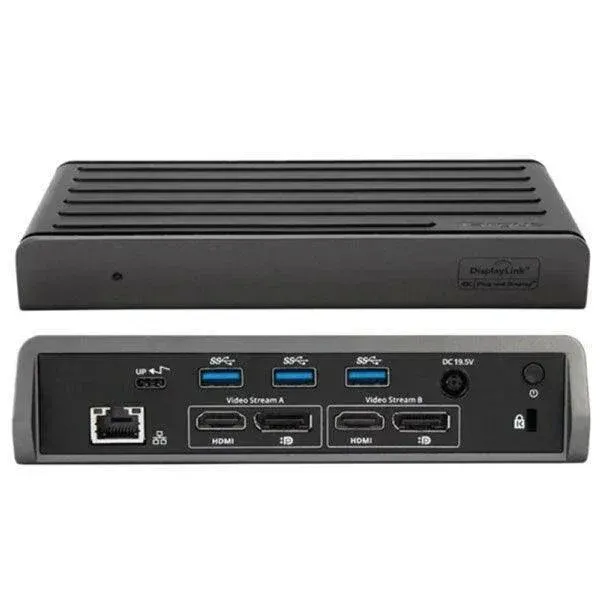
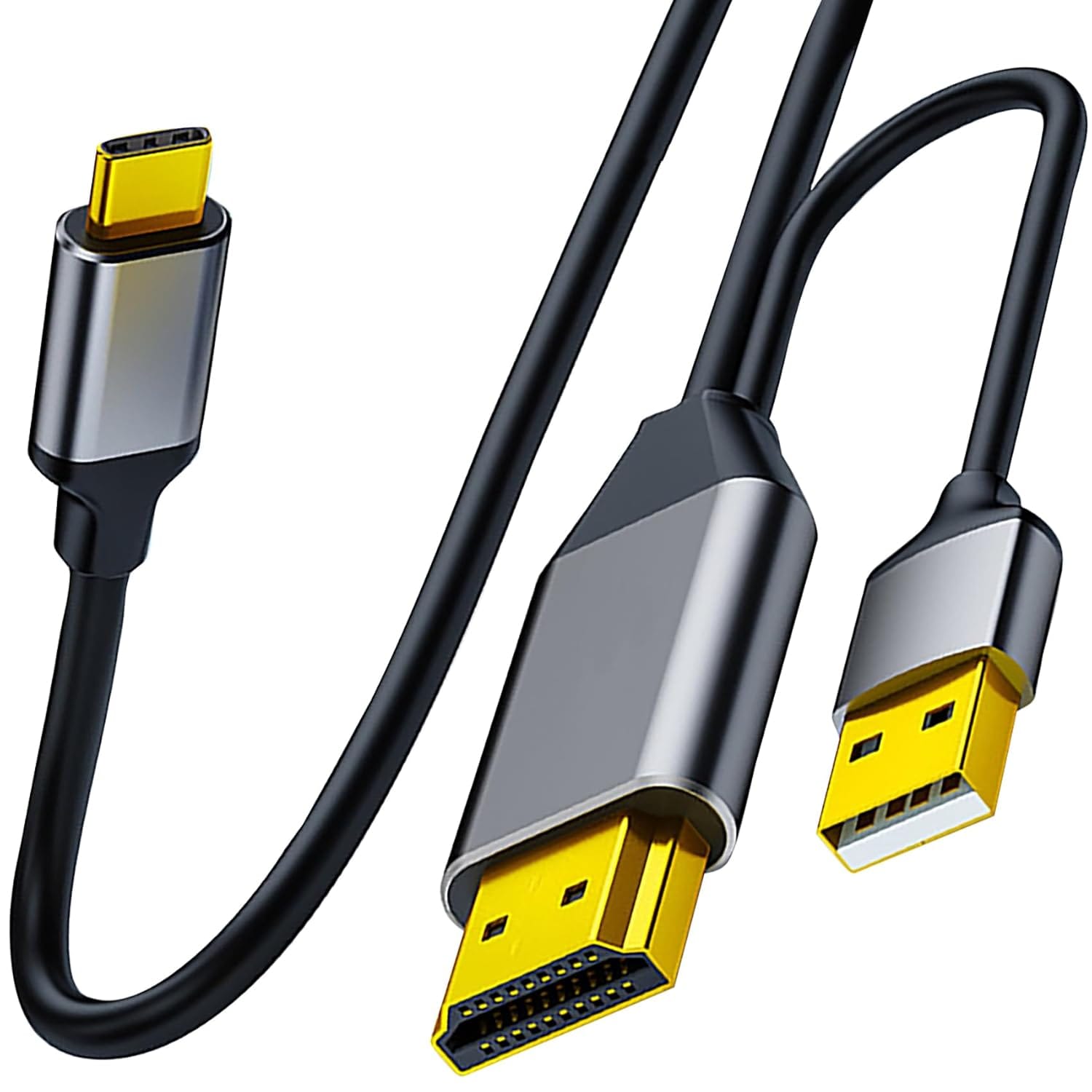
My setup now is: the Dell laptop is connected to the Targus Dock via USB C cable. The Targus Dock is connected to the Apple Studio display using the Tunghey HDMI cable. The USB C side is connected to the Apple Studio Display.
Honestly, the Targus Dock is unnecessary. At first, I was simply connecting the Tunghey HDMI cable from the Dell Laptop to the Apple Studio Display. However, this setup does not charge the laptop. Plus, with the limited length of the cable, the fan noise from the Dell laptop was distracting. The Dell laptop fan is always on. That is why, previously, I used a 5m USB C cable to ensure the Dell is put FAAAAAARRRR away in the closet.
The Targus Dock allows me to:
The downsides are:
Perhaps, a Dell monitor is more reliable because the corporate laptop comes with the Dell Monitor app pre-installed, and in the office, we have a Dell 34inch ultrawide monitor (which, to my surprise, I enjoy using). I could buy that (sold on eBay for approx. AUD500) and call it a day. However, my ass is spoilt by the Apple Studio Display. So I live with this setup for now.
The only genuine disappointment with this laptop is that the fan is always on and its loud. Coming from the MacBook M1 Max, I am very sensitive to fan noise because the MacBook was super quiet. As stated above, I go to great lengths to put this laptop as far away from my desk as possible.
This is a 14-inch laptop and I miss the 16-inch display, but if I am being honest, over 98% of the time, the MacBook was used in clamshell mode, and the Dell is no different in that regard.
The build quality is terrible. It's all plastic, all around.
Does it really matter? NO, it's not as nice to hold as the MacBook, but it does the job. That's what matters.
How often am I holding it? Exactly once a week when I need to take it to the office and plug it into the Dell 34 inch ultra wide monitor. Even at work, I put the laptop under the desk to mask out the fan noise. I hate it. I hate it with a passion. Okay, that's probably too strong...
The bottom line is that for a corporate employee working in a not-for-profit sector, which I am, this laptop does the job and it does it well. It is cheap to acquire and cheap to replace. It has no character. I am not emotionally attached to it as I am to my almost 5-year-old 16 inch M1 MacBook Pro.
However, I use a Dell to pay my bills and not the MacBook. That took a long time to get used to. Isn't it ironic? I overthink the tools when the most basic tool will do the job.
Perhaps that is the lesson here. At the end of the day, the best tool for the job is the tool that does the job. Anything more is unnecessary.
Written entirely on the M1 MacBook Pro, using Ghost Editor on Arc Browser.
2026-07-02 19:54:52
Over the years, I have documented some (but not all) of my experiments. Every experiment may not have been a success, but every experiment was exciting at first. It was something new I was doing. It was something out of the ordinary, something out of the daily grind of life.
Most importantly, along the way, I discover things about myself, about my preferences, about my thoughts, and about how all of the above could change depending on the circumstances and my personal situation.
Experiments can also nudge us out of our comfort zones. For example, I was so into the Apple ecosystem that I could never see myself even exploring anything else. However, attempting to explore other options was eye-opening. It was not all roses but there were things I preferred, and there were things I missed.
Life is like that too. Its never truly black and white. There is a mountain of grey in between and usually, in this mountain, one truly finds themselves. Its also a whole lot of fun.
In July 2025, I bought a refurbished iPhone 13 Mini. The idea at the time was that I really missed having a small phone. Honestly, looking back, at the time, I liked the idea of having a small phone but not the practicalities of living with one. Anyway, I essentially moved it to be my night phone so it stayed by my bedside and my actual phone(s) was left in my study. The separation did wonders because I installed a NextDNS profile on the iPhone Mini which basically blocked all non essential sites (e.g. mastodon, reddit, twitter, etc). Its primary job was audiobooks, meditation (headspace and Calm), control smart devices etc. Solved my nighttime doomscrolling problem 😸
A few weeks ago, Apple launched iOS 27 and at the time it hit me, my iPhone 13 Mini's days are numbered. It is unlikely to keep getting future updates and if so, its likely to slow the iPhone further.
iOS 27 was different in the sense that it actually improved the performance of my 13 mini. I am on Developer Beta 2 so not going to say much more other than its performs and lasts longer than it did on iOS 26. To the extent that after a couple of days, I stopped using my iPhone Air and transferred my primary number from the iPhone Air to the 13 Mini. It has been really nice.
The iPhone 13 Mini is not a better iPhone than the iPhone Air. However, I want to experience living with a small phone and I feel like as the months and years go by, this option is going to fade away. Today, no major mobile manufacturer makes a small phone. I still want to experience living with one.
Did I say, it has been really nice. It really has been. I am thinking of expanding this experiment. I want to stop using my Pixel 10 Pro Fold and switch to using the iPad Mini as well.
Apple undoubtedly will release its first foldable. I want to explore the idea of carrying a small phone and a small iPad as my everyday carry.
Most people believe, its always better to pay for experiences rather than material objects. This is the justification for paying for a hot balloon ride or skydiving, etc. For me, the experiments I undertake are my experiences. It is what I prefer.
Anyway, dear reader, I will keep you updated.


