


2026-11-02 21:00:00
In an ideal world the incentives on phone manufacturers would be to optimize useful lifetime, but instead people buy phones based on their as-new performance. Which means phones charge to 100% even though that's bad for the battery.
Every time I get a new phone it feels a bit like magic: I no longer need to think at all about battery life. This lasts for a few years, and then at some point my phone doesn't always make it through the day. Some amount of this is normal, but some of it is just bad battery management: new phones should come set not to charge past 80%.
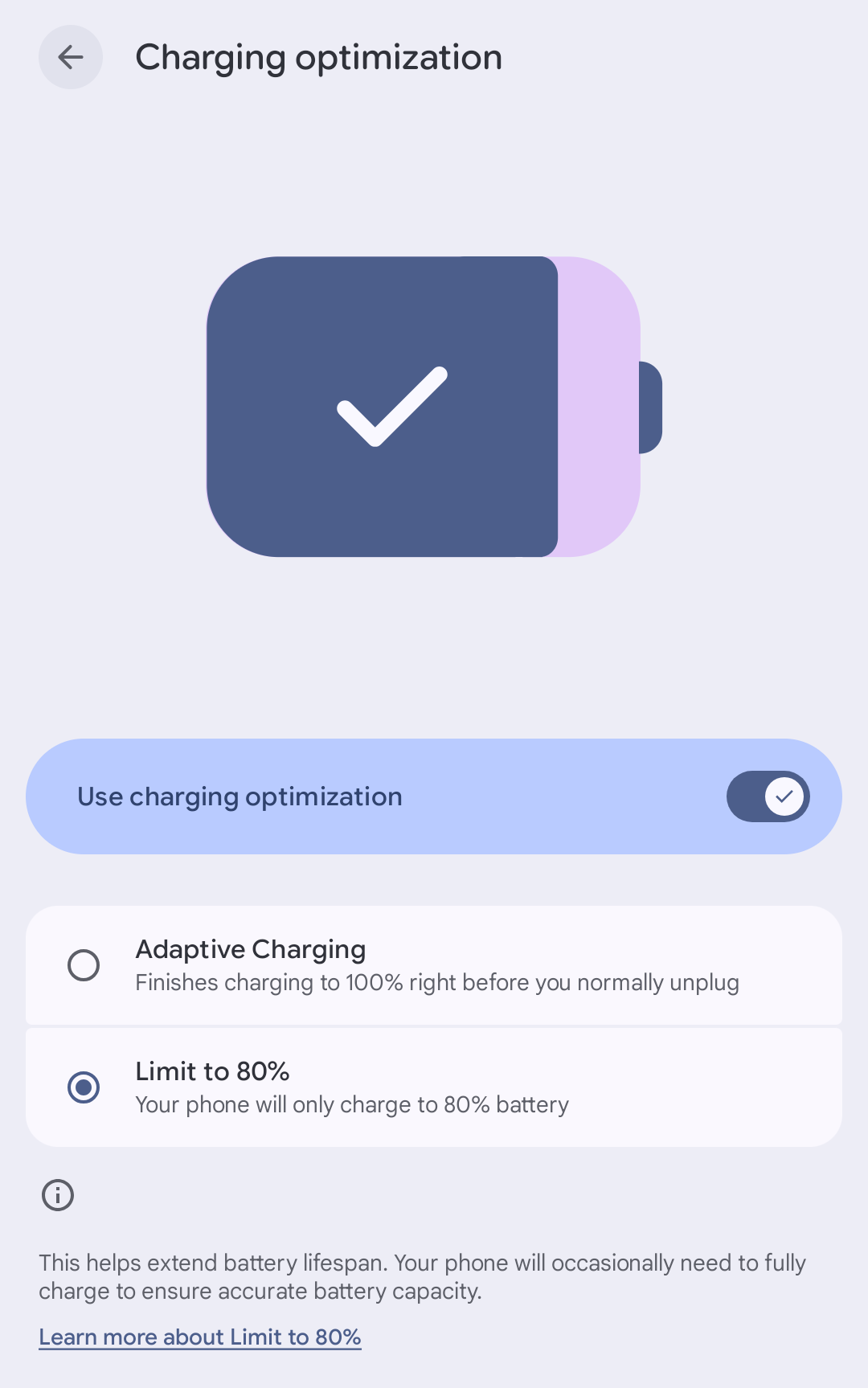
Charging a lithium-ion battery to 100% wears it out much faster than stopping at 80%, and when a phone is new 80% of the battery is usually plenty. With past phones I've just grumped about it, but Pixels now have a setting: battery and charging > charging optimization > limit to 80%:
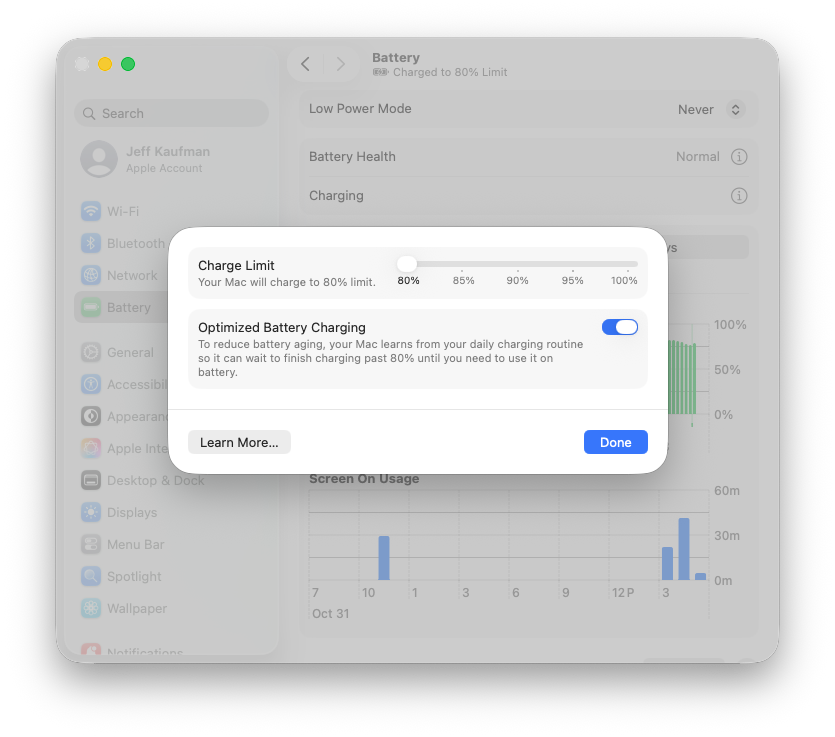
I've made the same change to my Mac, since that spends most of its life plugged in (but just enough unplugged that the battery preservation heuristics don't always fire):
Since turning this on a few weeks ago I've not come close to running out of charge on either, which isn't surprising since neither is very old. Eventually I do expect to need that last 20%, and when that happens I can turn the feature off again.
It seems to me like phones should ship with this behavior, and then automatically turn it off once the full capacity was needed to make it through the day. Ideally the user would never have to think about it: the battery would say "100%" to mean "as charged as makes sense given battery age". But I do see why that doesn't work for manufacturers: phones compete on battery life more than they compete on "number of months before the battery capacity falls below what's needed to get through the day."
(In reviewing this post Claude told me that iPhones also have this option: settings > battery > charging > Charge Limit: 80%.)
2026-11-01 21:00:00
Assembling a tour in an unfamiliar area is hard work as a contra dance band (or caller). You need to figure out when the dances are, whether the schedules align, who the bookers are, how far out they like to book, and probably other things I'm forgetting. This is enough work that many tours that would be great just don't happen.
One thing I've been on the receiving end of a few times is bookers offering a tour. This is so great, and I wish more series would give it a try! It's generally much easier for organizers to offer than for bands to put it together: you often know your fellow organizers and can put together a single block of dates to offer. If the band says no, you can offer it to another.
From an organizer's perspective, the big advantage is you can book great bands that live a little farther away and wouldn't normally be able to make it out to you. Dancers typically enjoy the variety, and I think there are substantial musical cross-pollination benefits.
Probably works best for dance communities 1-4hr apart that aren't all on Saturdays. Too close and the dances compete, too far and the driving gets impractical. For example, several times now (and again this coming February 17th through 20th) Kingfisher has played Princeton Wednesday, Philly Thursday, DC Friday, and then one of several places on Saturday. These are all farther from Boston than would make sense for a single dance, but together it's ~16hr of driving, and 4hr/dance is not a bad ratio. [1]
If you have a weeknight dance within driving distance of other dances, consider reaching out to other organizers to sort out offering a tour as a block! I expect this works best if the groups agree on a specific set of dates, collect how much each group can pay, and then designate one person to book the dates as a single block.
(I'm not writing this as a secret request for tours: while they're really fun I have a lot going on with my day job, and as AI continues to make the world weirder I don't expect this to let up in the next few years.)
[1] There have been times when I organized tours with much worse
ratios, including 6.7hr/dance
and 6.2hr/dance
(if one dance hadn't been snowed out).
2026-10-31 21:00:00
Fifteen years ago, when Julia and I were living in a studio apartment, she got me a keyboard. It was a used Yamaha P85, and a significant expense for us at the time. I loved it, and unlike the penny whistles, accordion, and stroh violin I was exploring, it had a volume control. Almost immediately our cat knocked a potted plant onto it, and I needed to take it apart to carefully clean it.
Since then, however, I've had no issues, save one: clacky keys. Over time the keys were getting louder, especially the "A" below middle "C". Something had clearly worn out inside. It was an acoustic noise on an electronic instrument—playing live the audience couldn't hear the clacks over the amplified sound—but having odd percussion on "A" wasn't ideal. Still, I applied my normal approach of trying not to care, which saves me lots of time and money, and didn't let it bother me.
Lily has been increasingly fooling around with the piano, which I'm happy to see: this is also how I learned to play. She asked me about the clacks, and when I explained what I thought had gone wrong she asked if we could fix it. I said I was happy to try, and we got to work:
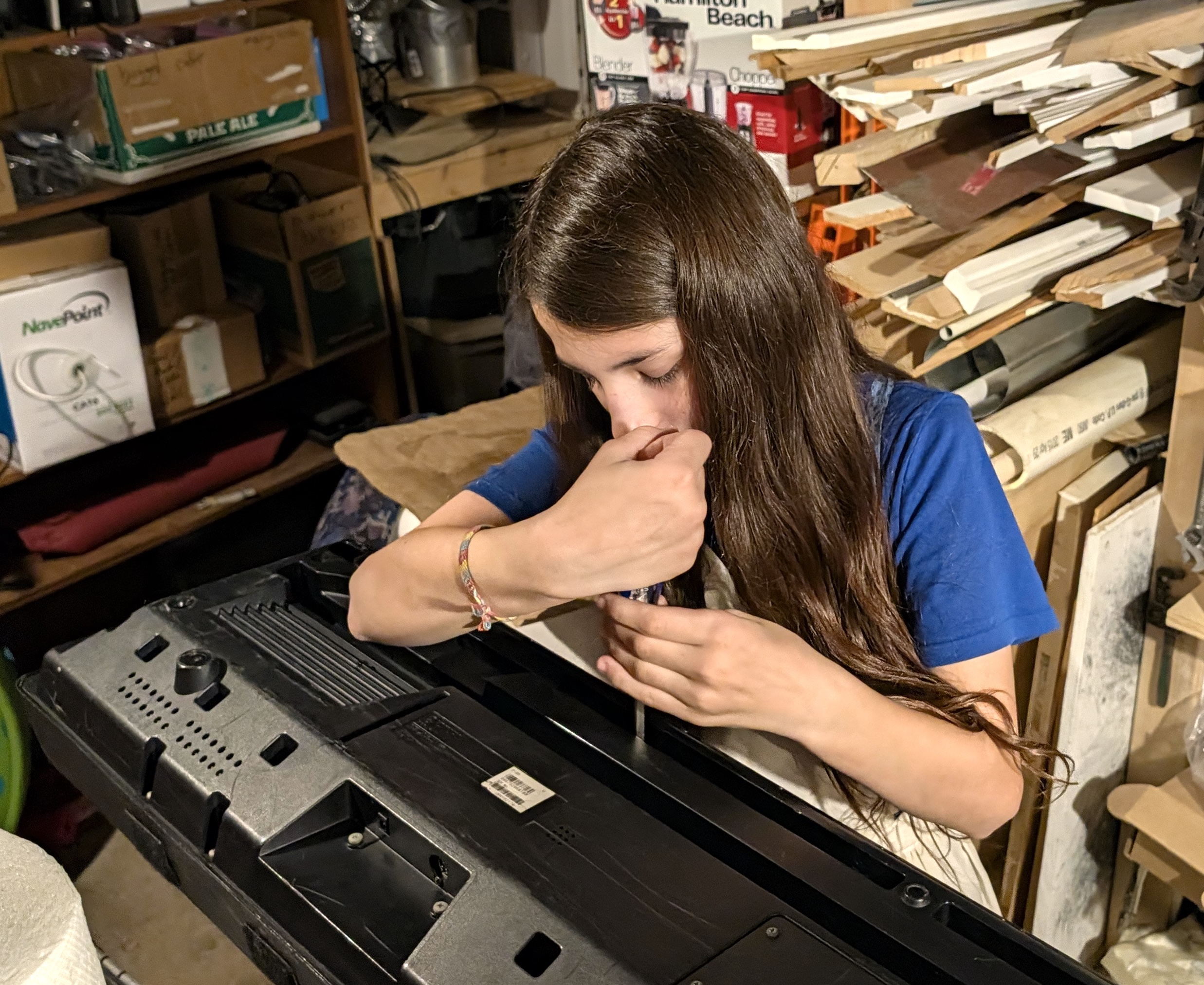
There were about 40 screws, and Lily was very efficient. Getting the ribbon cables out was tricky: I'd forgotten that the plastic at the end is soldered to the board and not part of the cable, and both Claude and Gemini steered me wrong as well. But once I pulled smoothly and firmly at the base of each ribbon cable, it came apart cleanly. This let me separate the two halves and see inside.
Once it was open it was a clear case of "one of these things is not like the others":
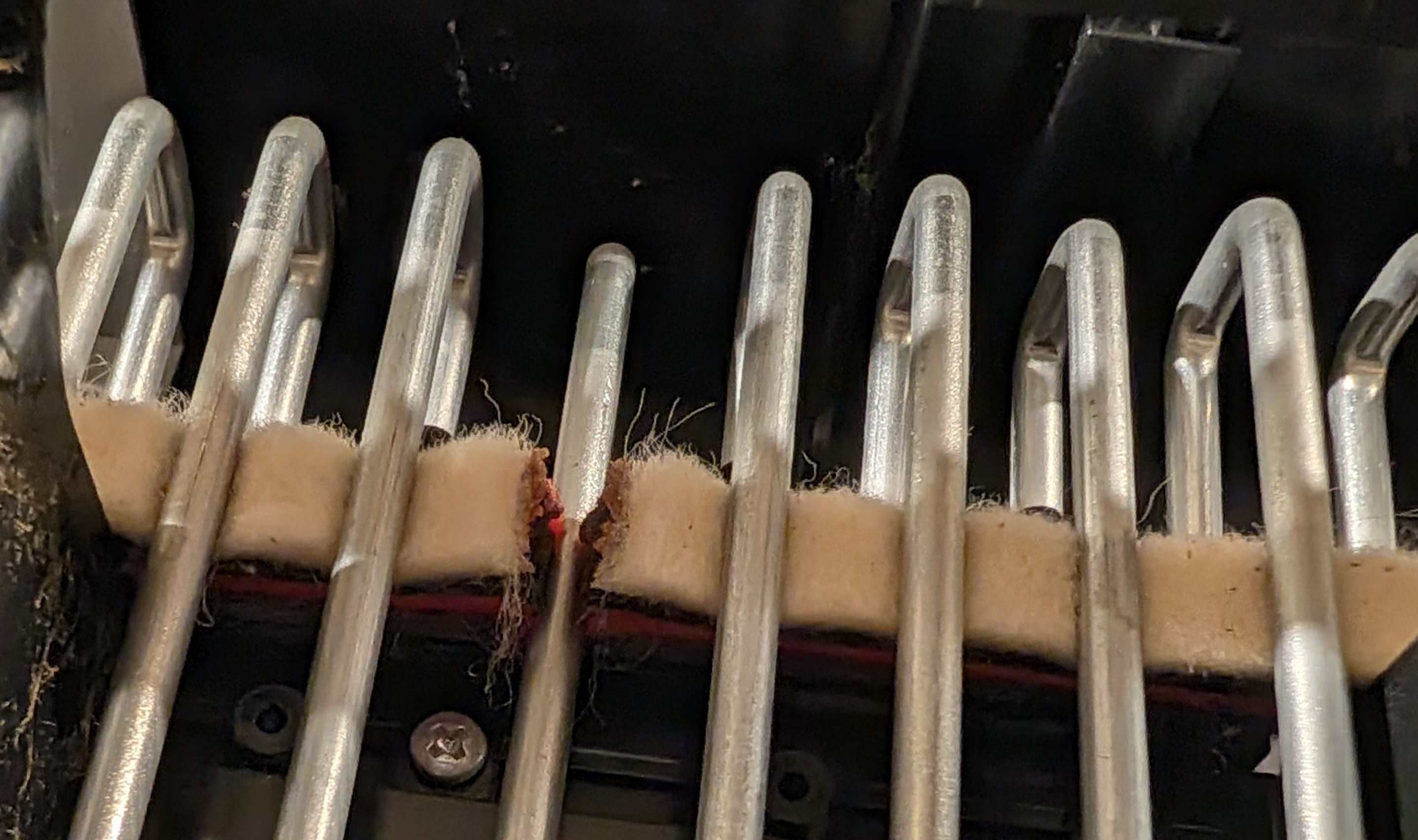
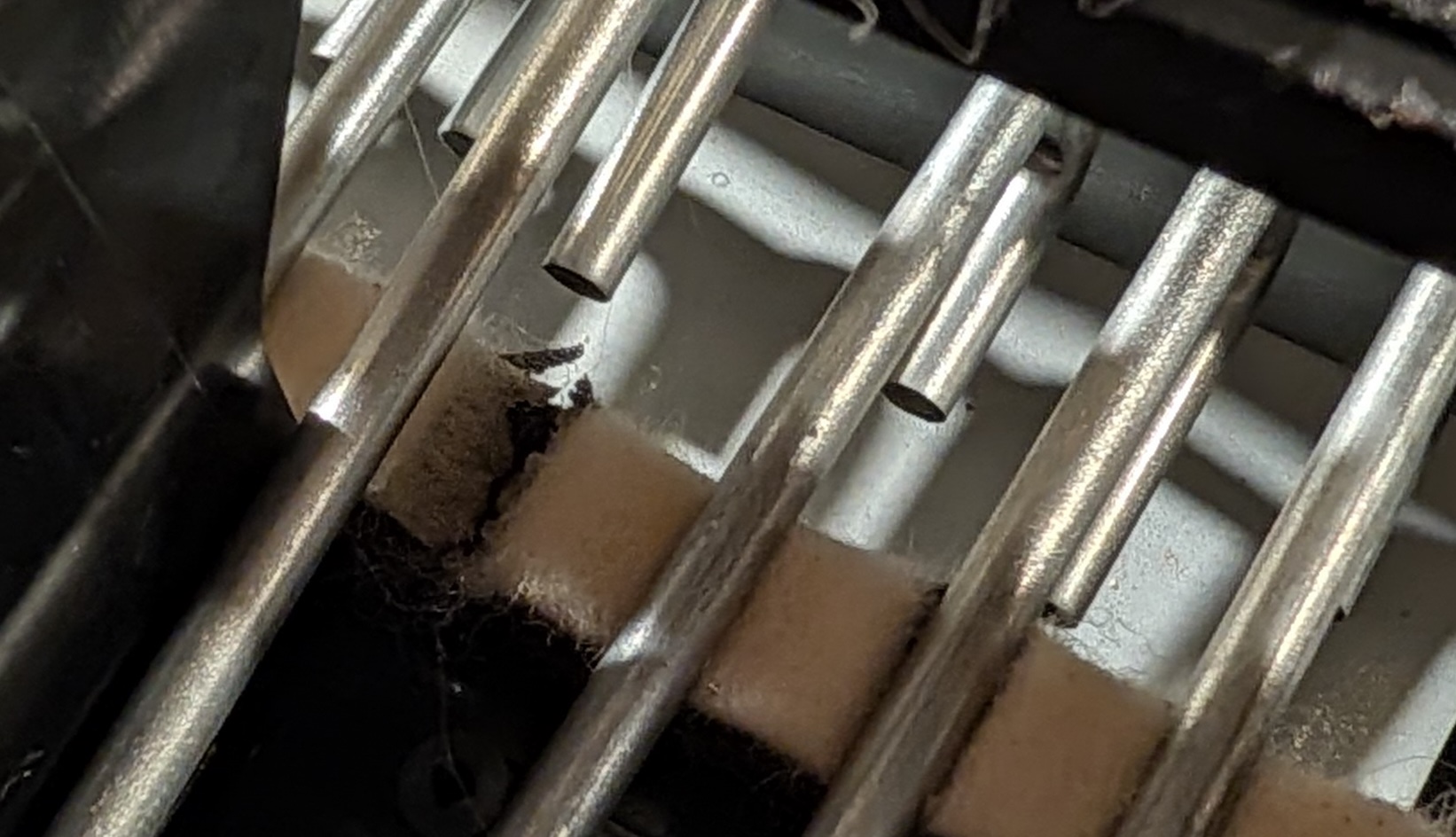
Over time, the hammer for this "A" had completely worn through the felt that is intended to give it a soft landing, and it was bottoming out on the plastic below with a "clack". There were other places where the felt was starting to go:
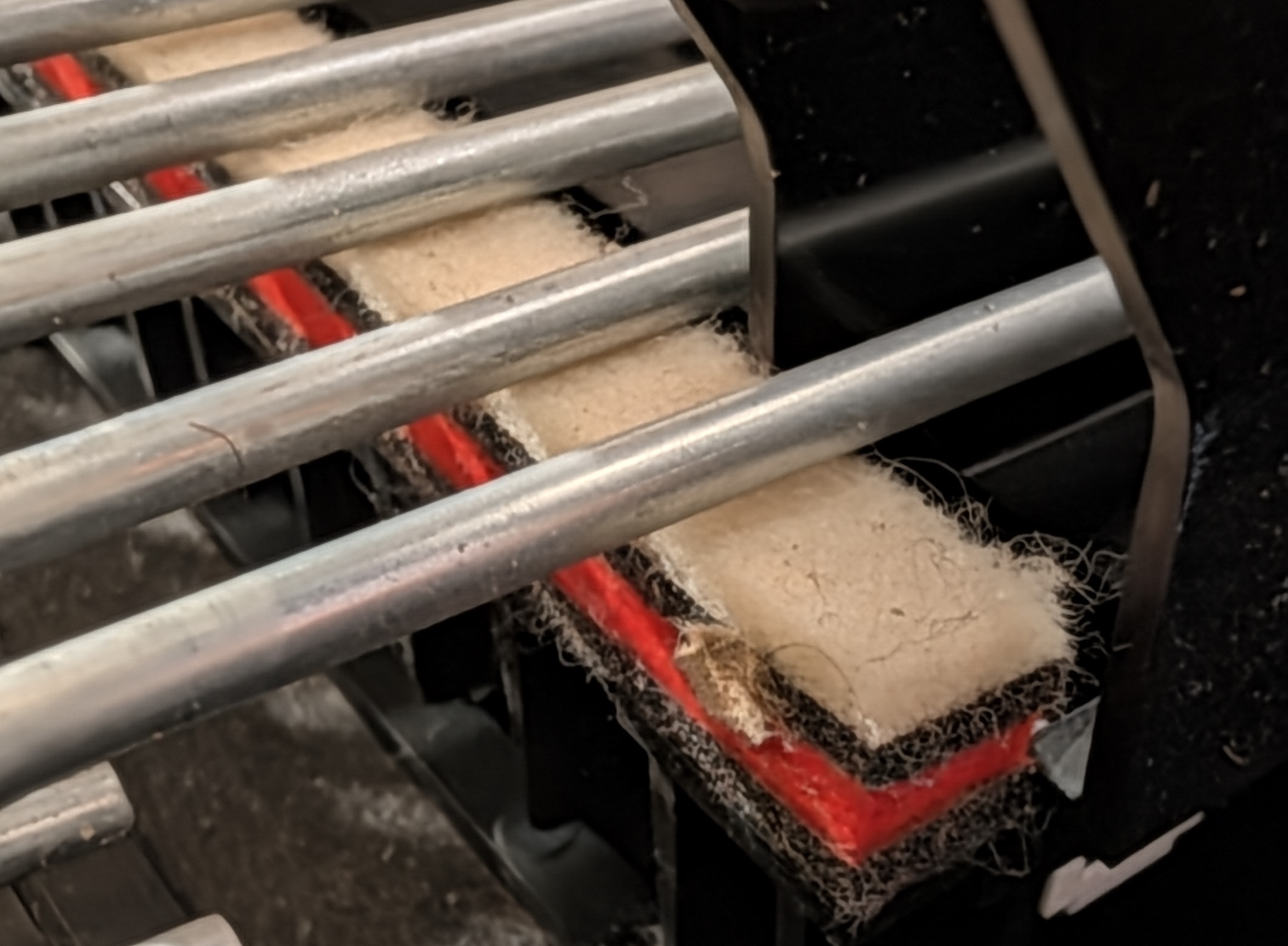
At the high end, where I play so rarely that I got a 73-key keyboard for gigging, you can see the felt is as good as new:
The keybed cushion felt clearly needed replacing. I found it on eBay (Yamaha part WF212001), waited for it to arrive, and resumed work today after trick-or-treating. Lily felt done helping, or at least would rather trade candy, so I did the rest myself.
Peeling off the old felt was annoying, mostly because I didn't do it right. Most of the felt came off easily, but it left a thin layer behind, attached to the adhesive. Scraping that off with a chisel, bit by bit, was a pain.
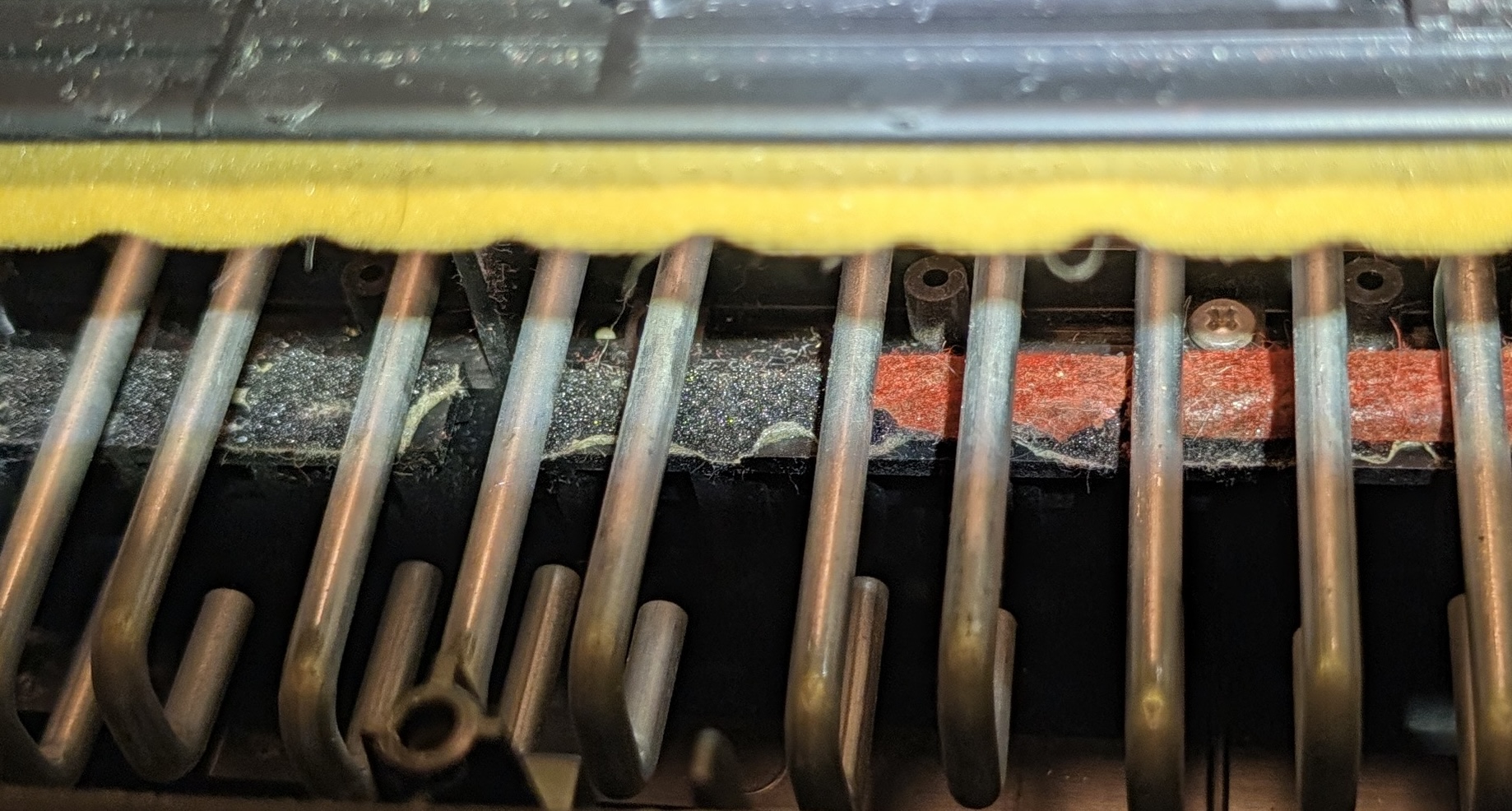
When I was about halfway along the keyboard I tried from the other end, tweaked my technique a little, and realized if I got a good section moving and maintained a sharp angle I could pull it all off in a single strip:
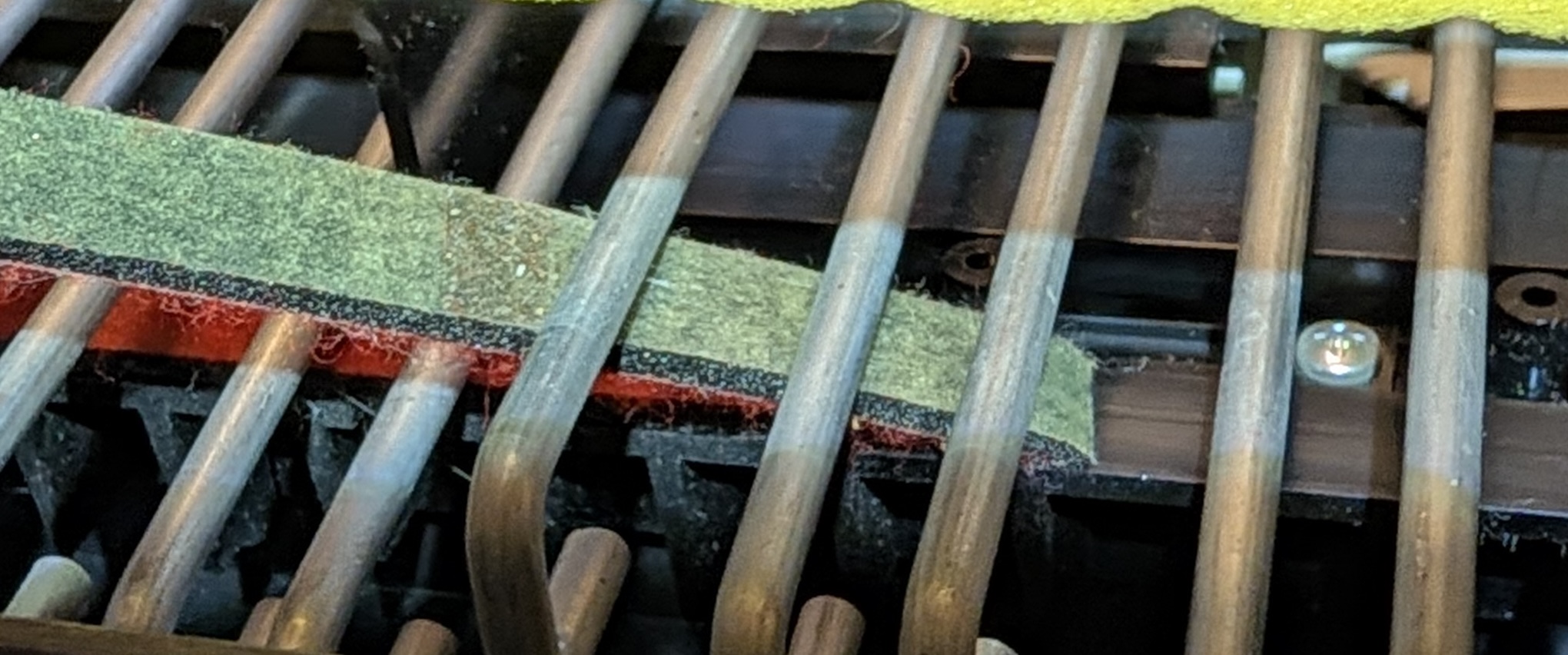
This was so easy, I wish I'd given up on the first method much sooner!
Once I had the old felt all the way off I put the new felt in place, still with its adhesive backing on. After being sure it was positioned well, I pulled the backing off bit by bit, sticking it down firmly as I went:
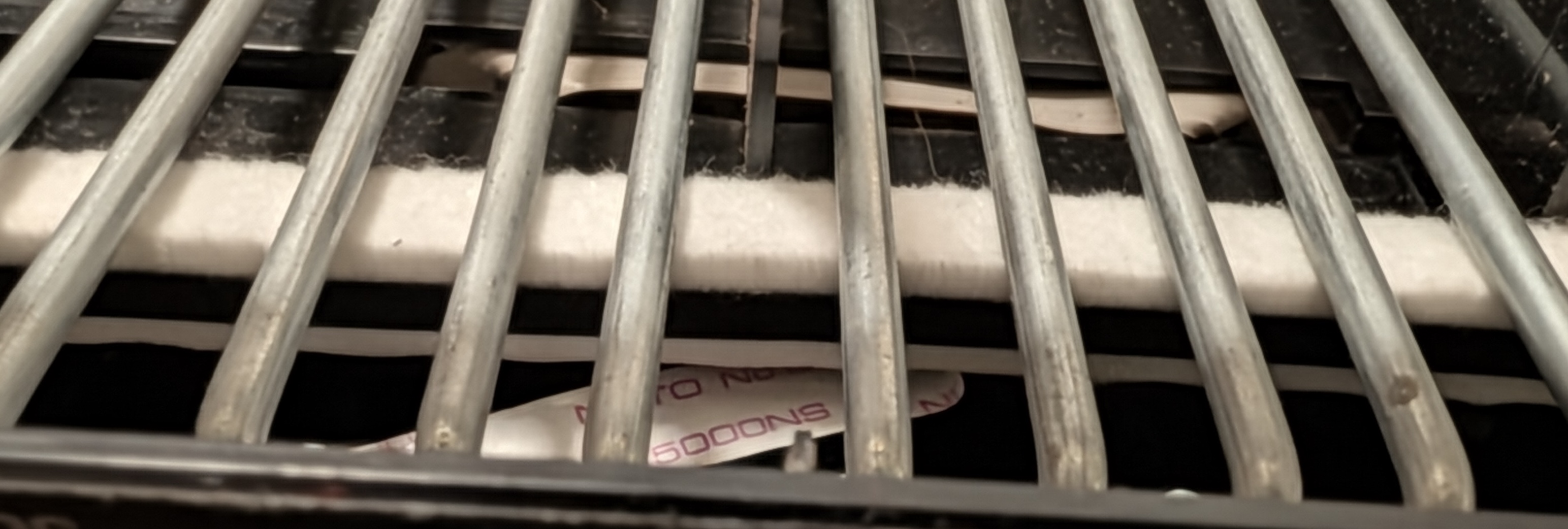
I closed it back up, gave it some power, and played the keys. They felt great and sounded right, except for a stretch of six keys that now did nothing at all. I was pretty worried I'd broken something I wouldn't be able to fix, and after all this work I wouldn't even have a clacky keyboard. But after taking the ribbon cables back out, rubbing them gently with my t-shirt, and carefully reseating them, the whole keyboard works now!
Bottoming out feels significantly firmer (not better or worse, just different), and very consistent across the whole range: the "A" doesn't seem to have suffered from spending a few years going "clack".
If you look at this project from a perspective of spending time to save money, it looks middling. I could probably have gotten a less-abused P85 for ~$200, and this one cost me $60 in parts (would have been $38 if I'd realized which of the two felt strips I needed) plus maybe 3hr in time. My employer would be pretty happy to pay $200 (let alone $140, with the $60 on parts) for another 3hr of my work! But I don't think of it this way: this is relaxing hobby time, and it doesn't draw from the same pool as work. I like having projects and doing things with my hands, and I especially liked working on it with Lily. Just like replacing the anode on my water heater or cooking dinner, this is rejuvenating time that happens to save money.
Overall, it was the kind of productive and satisfying project that I feel good about having completed, but hope not to need to do again for a while!
2026-10-30 21:00:00
In 2017, after getting laid off from a startup, I spent a while looking into AI risk:
Many people I respect have started to think that AI risk is the most valuable place to focus EA efforts. For example, 80000 Hours ranks it first on their "list of global issues", taking into account "scale, neglectedness, and solvability". On the other hand, I have a lot of friends working in machine learning, and none of them think AI risk is worth working on now. This level of disagreement is very strange, and kind of worrying.
After playing for a dance weekend in South Carolina where casual conversation among non-tech people included earnest speculation over the likelihood that AI gets us all killed, I thought it might be a good time to look back at when this was really speculative.
Summary: I talked to the right people, heard some incredibly prescient ideas, and got the bottom line wrong.
I do a lot of my thinking via serial writing, and in this case that was a series of twelve blog posts. Taking them one at a time:
Looking into AI Risk (2017-06-26).
This held up well. I picked something well worth looking into, identified a lot of relevant resources, and got a lot more good reading recommendations in the comments.
Superintelligence Risk Project (2017-07-03).
The main part of this post were five ideas about where the disagreement might be. These worked ok as jumping off points for interviews, but they weren't as core to disagreements as I hoped: people often ended up with similar views on most of these ideas while still being far apart in their views on how we should prioritize AI risk.
One thing I do like, though, is that these were pretty concrete questions which now do have answers:
How likely is it that current approaches are all we need for AGI, with relatively straightforward extensions and a lot of scaling?
Very likely. When I asked this question, "current approaches" meant deep neural nets and reinforcement learning. The past nine years have mostly been an incredible amount of scaling.
How valuable is it to work on solving problems that are probably not the right ones? For example, even if we think AGI will not look like current systems, might trying to solve the control problem for current systems teach us enough about the underlying problem and how to do this kind of work that we'll be in a better position once we see more what AGI will actually look like?
Looking at the two best-known approaches in 2017, I'd say Concrete Problems in AI Safety has held up extremely well, while Highly Reliable Agent Design (contemporaneous review) less so. This makes sense, since the paradigm of the former (scale current things) is what happened, while the latter was most useful in worlds where we had time to build (or steer the field towards) explicit systems with world modeling, decision theory, etc.
Still, even the HRAD work did end up being pretty useful, by getting people thinking about important problems, naming things, building a field, and getting people spun up.
So I'd say work was pretty useful even if you didn't anticipate the shape of today's AI.
How useful is it to have a strong theoretical foundation, vs just understanding the technology enough from an engineering perspective that we can make it do things for us?
In terms of building powerful AI systems, it seems like it has been near 100% engineering. On the other hand, we now have powerful systems that no one understands. As they get increasingly capable will they continue to be compatible with the continued existence of humanity? Hard to say! Seems like a strong theoretical foundation would be pretty useful.
How similar is this to normal engineering? How much should we expect companies' desires that their AI systems do what they want them to do to work out?
Mostly yes, but more importantly no. Companies want their models to be economically useful which means doing what users want. Except it turns out you can provide a ton of economic value while still occasionally being seriously misaligned, and there's a real chance that as we continue to scale this misalignment is going to work out very poorly.
As we get closer to AGI, how likely is the ML community to take superintelligence risk seriously? Is it just that they don't think it can be productively worked on now or do they not think it will ever be a real problem?
People are taking this increasingly seriously, and I think this has probably gone better than people in 2017 would have predicted. But it doesn't look to me like they're taking it seriously enough: the majority of work still looks like forging ahead very quickly despite a lot of evidence of misalignment even at current scales.
There's also a bit in the post where I talked about applying for a grant to work on this. That was silly, since we had enough savings that this was something I could just choose to do. Looking back, I think the reason I applied was that I had an unrealistic view of grantmakers as people with an excellent global view of what needed doing, and where someone deciding whether to give me a grant to work on this project would be a strong signal of whether the project was worth doing.
(And then perhaps my most prescient decision was calling it "Superintelligence Risk" instead of "Artificial Intelligence Risk", anticipating executive order 14434.)
2017-07-04: Conversation with Dario Amodei
Alan Kay said "the best way to predict the future is to invent it," which certainly seems true here. This description of the situation feels super prescient. Unfortunately I never thought to ask the most important question: might AI reliably doing what we want end up being a limiting factor on AI progress, where this line of safety research might accelerate AI development and put us in what Amodei then considered the riskier "short timelines" path.
2017-07-09: Conversation with Michael Littman
Littman essentially believed that prosaic AGI, which Paul Christiano described as replicating human behavior without "qualitatively new ideas about 'how intelligence works'", was impossible. But that's pretty much what happened! So in many ways it's a big miss. I don't want to single Littman out, however, since in this series he's basically functioning as a stand-in for the mainstream ML community view at the time. Most serious professionals seemed to think this, and even Amodei and Christiano weren't confident this was how things would go.
2017-07-10: Superintelligence Risk Project Update
A reasonable summary of where I was so far, but nothing especially right or wrong in hindsight.
2017-07-11: Technical Distance to AGI
I wrote:
I think the largest piece of the disagreement between ML people over how to prioritize AI risk may turn out to be: how likely is it that we get AGI soon that looks a lot like systems we have now?
I think in retrospect this disagreement was indeed key, though I did get a lot of pushback in the comments from people who thought it didn't capture what was important.
A different line of disagreement in the comments was over whether ten years was a plausible timeframe for large amounts of AI progress at all, which turned into me betting Dave $100 to his $900 that we would have driverless cars in MA by 2027-07-12. Nine months out, the technology is ready (Waymo could safely do it next month if they wanted to) but I expect the legal process here to be too slow.
2017-07-13: Examples of Superintelligence Risk
I think this also held up decently well: better examples really were important. We got light versions via warning shots (especially the Hugging Face attacks) and people have since also written up some ones that give a plausible story end to end.
On the other hand, some of the "sci-fi" elements that made stories feel unrealistic, such as connecting powerful untrusted AIs to the internet or ai-enabled bioattacks, seem a lot more plausible than they did in 2017.
2017-07-14: Conversation with Bryce Wiedenbeck
Pretty similar to my conversation with Littman: Wiedenbeck did not think prosaic AI was possible, but it was.
2017-07-18: Superintelligence Risk Project Update II
Another status update. One interesting part:
I found Open Phil's notes on Early Field Growth interesting, especially their section on failure modes in cryonics and molecular nanotechnology. My takeaway was that heavy popularization of a new field prior to scientific success leads scientists on the border of the new field to take on an oppositional stance. The field gets starved of people who could do substantial technical work, makes minimal progress, and I think people also avoid the areas around its edges, like a chilling effect. I see superintelligence risk as just on the edge of this, where it could go either way.
It looks to me like AI safety came close to this, with some amount of popularization producing opposition, but it didn't get starved technically. I think because there was enough scientific success to keep it interesting and active.
2017-07-20: Conversation with an AI Researcher
This one is the most interesting mainstream ML interview to me, because they did foresee a lot: "they see progress in ML as almost entirely constrained by hardware and data." On the other hand, it does look to me like the differential technological development strategy they didn't think would have much of an effect has actually worked ok: having a few extra years of progress on various safety-related efforts looks pretty helpful to me. (Still an open question whether it has been enough, but that's not where this researcher disagreed.)
2017-07-27: Yudkowsky and MIRI
I didn't feel great about this post at the time, and still don't like it: it's mostly holding someone's early writing against them, where the most recent of the writing was ten years old by the time I was evaluating it. I agree with people who said this writing shouldn't be seen as much evidence either way.
Looking back, I'd say Yudkowsky has clearly been right about a lot of the risks involved, while at the same time (again, like most people) not anticipating specifically how we'd get to present levels of AI systems.
2017-09-15: Superintelligence Risk Project: Conclusion
This one is a painful read for me. In some ways it gets so close: the "Background" and "Differential Progress" sections are solid, I think I was right to be pessimistic about the HRAD approach, and then I totally flubbed the "get the right answer" part. I had an incredible opportunity, with Christiano, Amodei, and others giving thoughtful and detailed comments, and it wasn't enough. I'd like to give a clean story here, where I see what reasoning error I made, and how I'm going to avoid it going forward, but I really don't.
I'm still glad I did this project, and I think getting these views written down and shared was valuable. But getting so close and then missing the key conclusion does sting.
2026-10-29 21:00:00
Walking to kindergarten with Nora this morning, I asked if she wanted to practice crossing the street: once she got good enough, she could walk to school on her own. She didn't want to practice today, but she asked if she could walk the final block herself since there were no more crossings. I said sure, hugged her goodbye, and she set off:
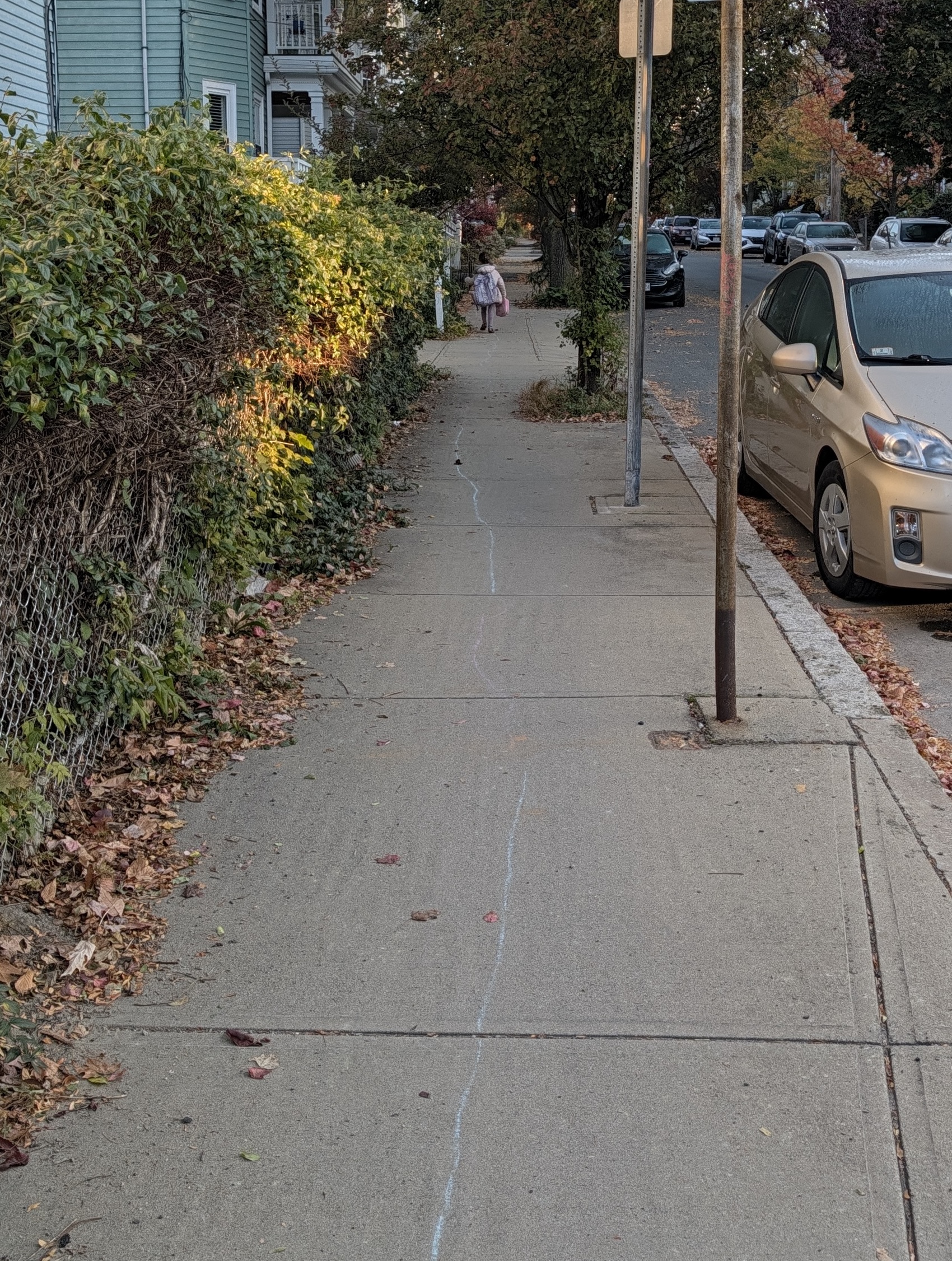
She turned around to smile at me once, and I got a quick picture:

I went around the block the other way, to the other side of the schoolyard, and waited out of sight until I saw her come in. I was sure she'd be fine—she's very capable—but I wanted to check anyway.
Comment via: facebook, lesswrong, mastodon, bluesky, substack
2026-10-28 21:00:00
In 2005 I bought an accordion on eBay for $38 (plus $42 shipping). It arrived surprisingly in tune, but I made up for that by playing it badly. It sat next to my bed in the Fishbowl, a large triple I shared with David and Lucas sophmore year:
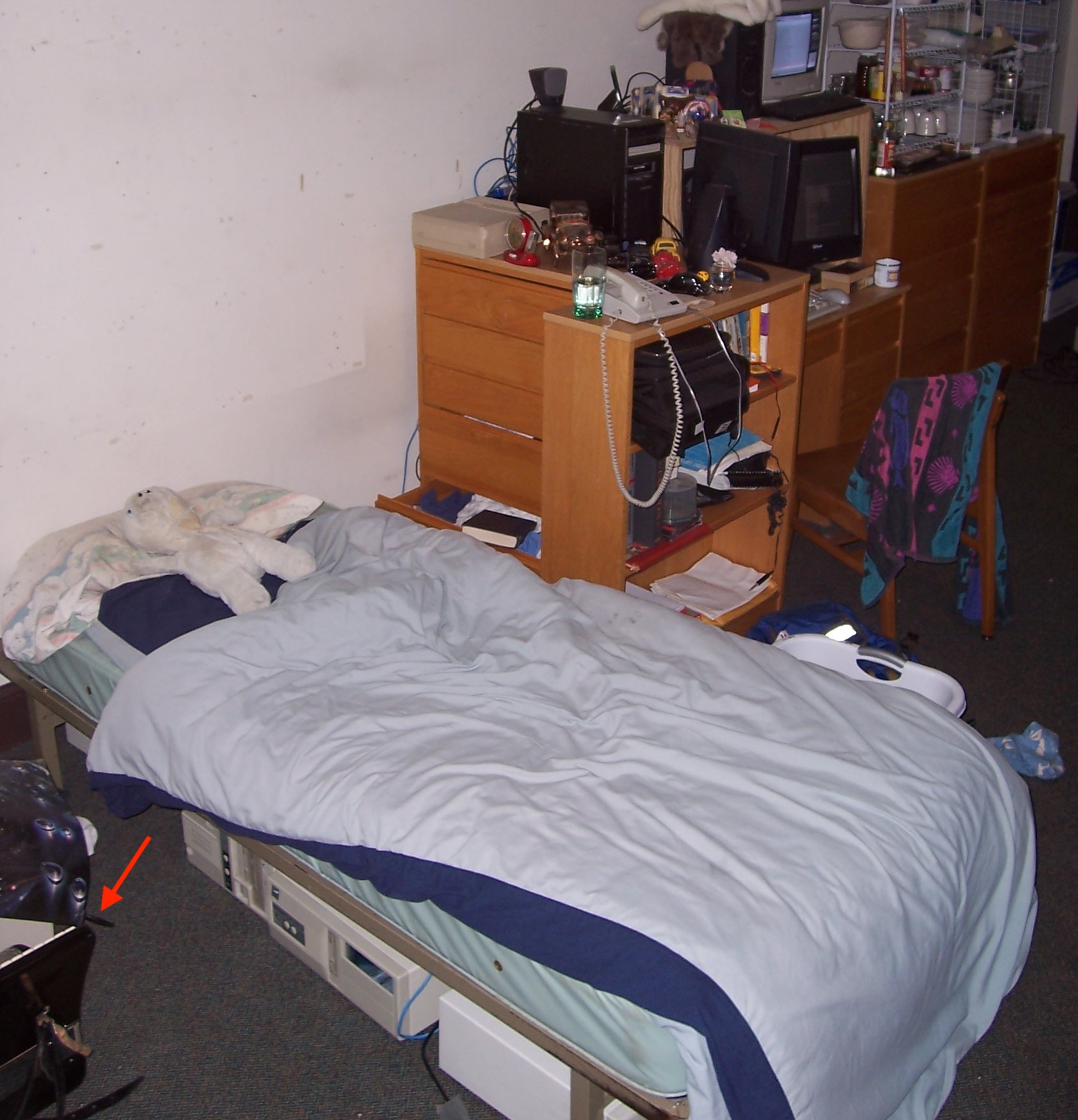
I didn't really know what I was doing, but enjoyed trying to play Scotland the Brave as loudly as possible while holding down a bass button to simulate drones. Pretty quickly my friends confiscated it under the excuse that one of them (Jules?) wanted to learn to play. This was actually very kind, because accordion ergonomics don't suit me: they reliably hurt my wrists.
This started a pattern that has continued for the last 20 years: anytime the accordion comes back from loan I try to get it out again as quickly as possible before I wishful thinking myself into deciding to play it. I think the only maintenance it's had has been people replacing the broken straps and case, and while it leaks a little air it's in surprisingly good shape.
Here's my uncle playing it for morris dancing at our wedding:

Ever since I was eleven I've had one big dream about my wedding: that there would be Morris dancing.So, we're planning to have pick-up Morris at the break in the contra dance. Davy has agreed to play accordion. By my count, we have about sixteen possible dancers. If you don't want to dance, that's fine. How about doing Bonny Green Garters? We'll have plenty of white dinner napkins to use for hanks. But if you have bells and want to bring them, please do. —Julia, to relevant wedding guests, February 2009
Over the years it's gone to maybe a dozen people. My ideal is that someone borrows it, plays it long enough to figure out whether they want to get one of their own, and then it can go to someone else.
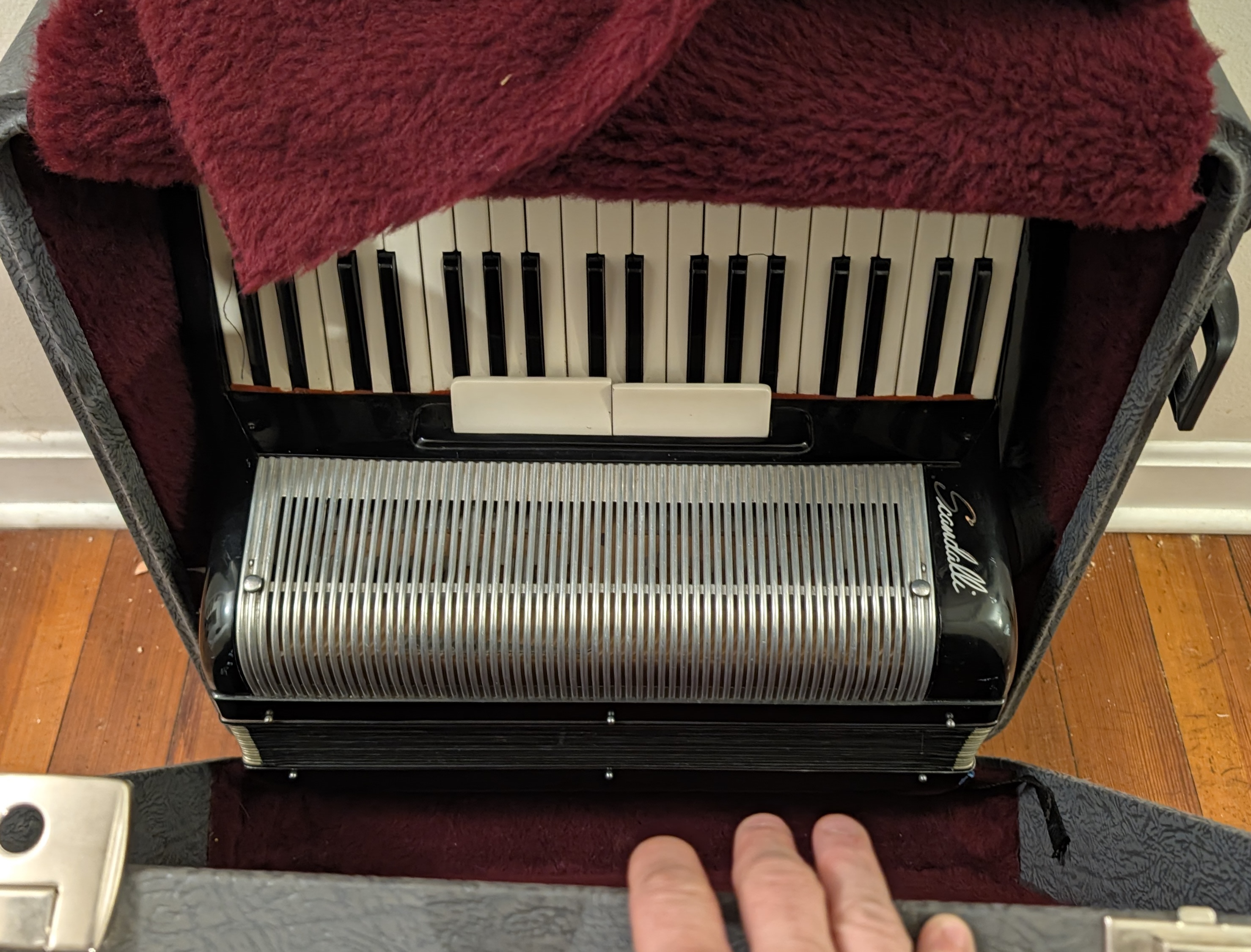
It came back to me this week: would you like to be next?