
2026-08-30 08:00:00
亲爱的格林女士:
我小时候其实不太喜欢您。
您当然也不太像一个值得小孩喜欢的人,路是土的,雨天泥泞,晴天起灰,夏天很热,冬天很冷,屋后有一条不咋漂亮的小河,严格意义上来说这甚至不能算河,只能算是小溪,岸上长着没人管的草,往后是田,往前还是田,田后面还是田,「一望无际」好像有时候并不是褒义词。
如果一定要把您比作什么,我觉得您像一杯白酒。小时候喝,只觉得苦,咽下去还辣喉咙,不明白大人为什么非要说这种东西香。
我最早意识到「我是我」,是在您这里。
那时候我应该还没上幼儿园,和几个小伙伴在外面疯,玩得太累,我就直接躺进了泥地里。泥巴应该挺脏的,但那时候没人关心这个。我躺在那里看着天,突然想到一件很麻烦的事情:如果我死了,我的意识会去哪里?这是我记忆里第一次认真想到死亡,没有人生变故或是哲学启蒙,就是玩累了。
现在想想,一个人第一次意识到自己的存在,地点是一块泥地,倒也合理,毕竟 Z 轴位置再往下移动两米,基本上就是答案了。
那时候我对世界的理解非常简单,地是平的,它从家门口一直平到学校,再从学校平到那些我没去过的地方。天是蓝的,因为天本来就是蓝的。太阳就是一个大灯泡,比家里白炽灯泡大一点,亮一点,挂得高一点。什么折射散射,什么波长波短,什么行星恒星的,找补罢了。
我记得有一年冬天,我奶奶蹬着三轮车送我上学,那时候应该还是红砖路,路两边总是凹下去,听大人们说这是被拖拉机压的。我躺在后面的车斗里,任由路面把它的不平整一丝不差地通过三轮车映射到我的身体上。因为太冷了,奶奶总会给我身上披一床薄棉被,面子是仿丝绸的,粉白粉白的,像婴儿的皮肤,里面是棉花,边缘有类似白色绒毛的装饰。我记得我妈跟我说过,那是我刚出生时用来包我的被子。
我对出生当然没什么印象,只记得那床被子裹在身上很像一件披风。我缩在里面,只把脸前面留出一道缝,从那道缝往外看,房子从缝两边出现,又慢慢退到视线中心,树往后退,电线杆往后退,路上的人也往后退。
奶奶那时候的眼睛特别好,路边有时候趴着一条狗,离得老远她就能发现,然后那条狗通常会无缘无故挨她一顿骂。它可能只是趴在那里晒太阳,也可能抬头看了我们一眼,奶奶不太讲究证据链完整,反正先骂几句总不会吃亏。
后来去学校的那条路开始铺水泥,回头看,那条路可能也就修了一年,可在我的记忆里,它修了非常非常久。
小孩的一年和成年人的一年不是一种长度。现在一年像一包纸巾,刚拆封没多久,突然有一天发现就只剩最后几张了。小时候,一件事情好像只要持续一段时间,就已经足够被认为是宇宙恒量。我那时候甚至觉得,时间大概也会长大,而且年纪越大,跑得越快。
因为修路,有一次爷爷换了一条路来接我放学,我们就这样错过了,那时候没有手机,一个老人和一个刚上一年级的小孩在路上错过以后,最简单的解决方案应该只有命运了。
我在学校门口等了很久,爷爷没来,我觉得他可能有事,也可能忘了,于是决定自己走回家。爷爷在另一个门口等了很久,我没出现,也不知道是不是老师拖堂了还是我又犯错被老师留下来了。
同样因为修路,我走了一条很少走的路,在如今的地图软件上重新量了一遍,大概 3.2 公里。在上海,走 3.2 公里很难被称为一件事情,如果带着相机出去扫街,我可能会走上它两三倍的距离,回家后也只会专注于今天拍到了什么,但对于一个刚上一年级的小孩来说,那天差不多是一次长征。
走到两公里左右,我哭了,我一边走,一边喊爷爷,没人回答。于是我继续哭,也继续走,后来哭着哭着,我就走到家了,到家以后我马上不哭了,小孩有时候处理情绪比成年人有效率,问题解决了,再哭就很浪费了。
后来爷爷当然是被奶奶骂了一顿,可能还动手了,我没有参加他们之间的事故责任认定。因为回到家的时候门是锁的,我去了邻居家的临时棚子里写作业。
邻居家那时候正在盖新楼,所以一家人暂时住在棚子里,里面悬着一盏白炽灯,灯光黄黄的,灯泡玻璃上的污渍大概是做饭留下的,我猜先是蒙了一层薄薄的油,灰尘落上去,再被下一层油封住,如此往复,最后看起来像某颗行星表面的大陆。
我和邻居家姐姐坐在这盏灯下写作业,那时候学校有毛笔课,我记得自己那天写了两个很好看的字,第二天老师在这两个字上画了两个红圈。
2011 年,我去了上海。
也谈不上什么背井离乡去追求远大理想,我在人生的前二十年里做过的很多决定,其实都不太像决定,通常是事情先发生,然后大人告诉我下一步往哪边走,我就往哪边走,用我的专业来说应该叫「事件驱动」。
刚去上海的时候,我也没有觉得自己进入了什么更大的世界。学校不是我想象中的学校,并没有和本地学生一起迎着早霞去学校的画面,校园霸凌也不会因为换了一座城市就突然懂得尊重人。
那几年有不少事情,我当时觉得自己可能真的熬不过去,后来还是熬过去了,它们确实变成了我身上的一部分,但我没有兴趣回头感谢它们,事情发生了就是发生了,痛苦就是痛苦。一个人后来活得还行,并不能反过来证明以前挨的那些东西有什么教育意义。
2015 年,我在某快递公司做仓管,距离我中专毕业已经一年。
这时候我收到通知,说奶奶病危。小时候眼睛好到连路边老远一条狗都能看到的她,后来因为糖尿病失明了,她瞎了十年,也痛了十年,六十岁的时候,她走了。
她走那天,我没有掉一滴眼泪。我很难向您形容我当时有多难过,但就是没哭,这件事情直到现在我也解释不了。
那时候我刚和仓库里认识的一个女孩确定关系,我们没牵过手,也没亲过嘴,但名义上已经是男女朋友。奶奶去世那天,我跟她分手了,我提的。为什么偏偏那天提?我也不知道。就像我不知道奶奶走了为什么我没有哭一样,那个女孩后来去了哪里,我也完全不知道。算算时间,现在孩子可能都已经上小学了吧。
现在我会觉得 2015 年的那一天很奇怪,一个从我出生之前就已经存在于这个世界上的人离开了,而我又亲手让一个刚刚走进我生活的人离开,一个认识了一辈子,一个几乎还没来得及认识,我对两件事都没有做出什么很像样的反应。
后来我继续在上海生活,时间久了以后,有人问起,我就报您的名字,填表格时,我还是要翻身份证去抄那二十几个字的地址。小时候觉得又苦又辣的那杯酒,后来终于不苦了,也不辣了,因为已经没味道了。
直到这几年,我回来得多了一些,又或者是老了一些。
老房子被推掉了,原来的地方盖了一栋新的,新房当然更好,明亮、干净、皮实。我不禁想象,多年后我对于旧房子还有剩下哪些记忆,以前那扇门往哪边开,我会开始想不起来,那个床靠哪里也要想半天,某个柜子是不是一直在那里,我甚至会怀疑自己是不是记错了。
我做了一次思想实验,其实房子可以拆两遍,第一遍用机器,咣咣当当的,一天就结束了。第二遍用时间,没有声音,而且拆得特别慢,等人发现的时候,墙皮已经脱落了,露出了里面的红砖,房间里的一些家具也不见了。
人好像也是这么旧掉的,小时候我一直觉得大人天生就是大人,他们从我有记忆的时候就是那个样子,所以理应一直那个样子,最近再回来,镜头对着那些熟悉的脸,才发现头发比以前白了,背比以前弯了一点,脸上的纹路也深了,有些理应出现的人好像也没有出现了。
格林女士,大概只是因为小时候我离您太近,近到觉得绿色不是一种颜色,只是这个世界默认的背景,近到觉得蓝天没有什么可看的,因为天本来就应该是蓝的,近到觉得房子永远在那里,人也永远在那里。
当年那个披着小棉被躺在三轮车后面,以为全世界都在后退的小伢子,终于走得足够远了,他回头看了一眼,才发现没有人后退,大家都在往前。
过年见!
2026-08-21 08:00:00
It’s been a while since I shared anything personal on this blog. Dating apps don’t count.
About three months ago, I got myself a Traktor S3 DJ controller. At first, I wasn’t really into DJing, but a friend of mine thought I was kinda talented (and I am, apparently 🤷), so he kept trying to convince me to buy a controller and learn how to DJ. DJing is actually pretty easy. Maybe it’s all those years I spent as a producer that gave me the talent or whatever. It’s fun, and it works.
So I threw an open-house party at the office where I had been working for two years. And yes, I mean the actual office where everybody works every day. I invited around ten friends, plus a bunch of people from the company. At its peak, there were about 35 people in the room. I’m still in shock that my boss actually agreed to it.
35 is a funny number. If I released a song and only 35 people listened to it, I’d probably feel pretty depressed. But having 35 people in the same room feels completely different.
And they don’t even have to pay attention to you. They can scroll on their phones, talk to each other, eat and drink, or jump around to the music.
I did mess up once or twice that night. I hit the play button on the deck that was already playing, and it took me about a second to get the track back. Later, going from Lights Go Out into Levels, I brought the next one in a bar too early. Nobody booed. I only remember it because I was the one standing behind the controller.
And speaking of jobs, I changed mine again. I’m no longer at Flowith. I now work fully remotely, and you guys may think that’s a good thing. I’m not so sure.
you can work anytime, anywhere.
But for the most part, it’s pretty chill. I have more time to myself and more time to see people.
So I started using dating apps again.
I know. I wrote one whole post, then another one, about how much dating apps suck. The last one literally ended with “Uninstalled.”
I still hate how every date feels like a business meeting. But yeah...
Reinstalled.
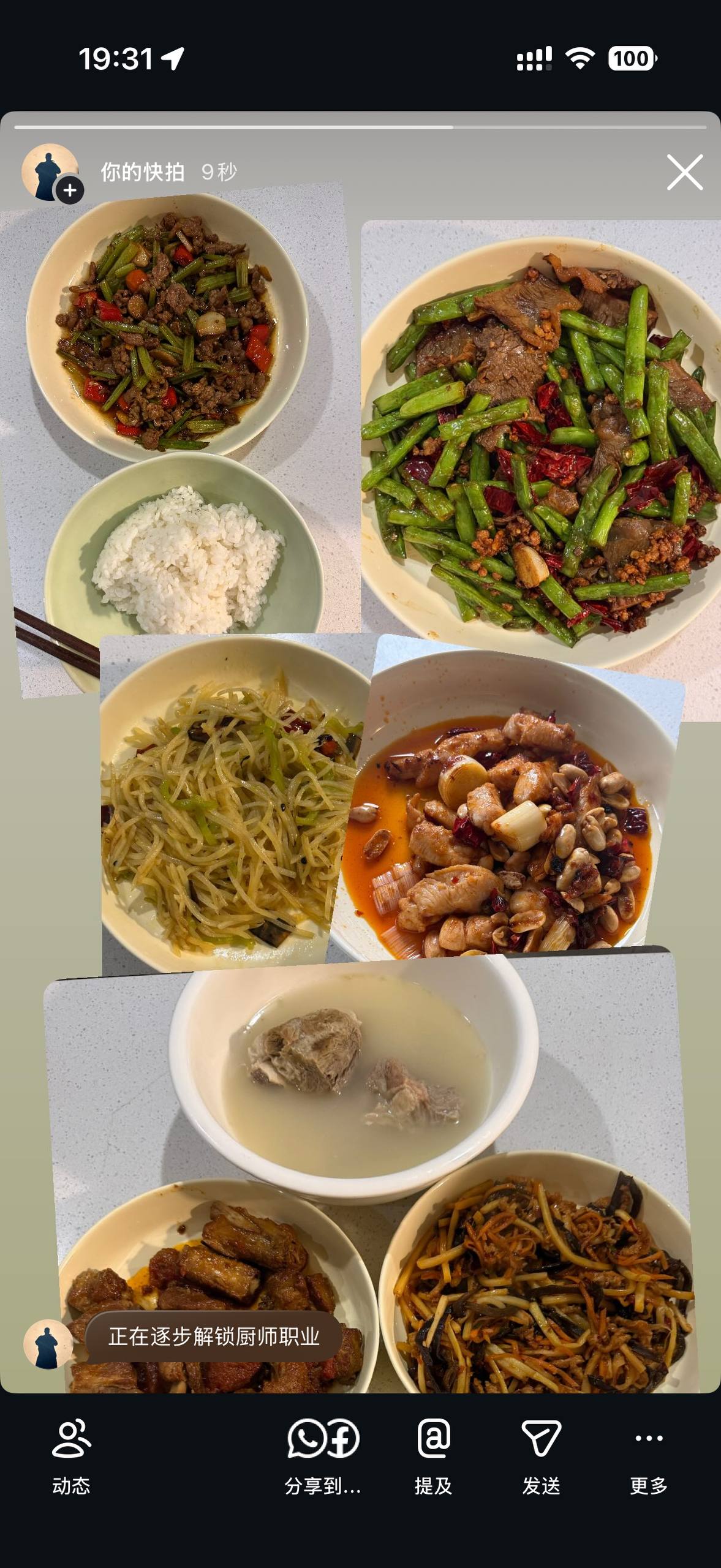
I’ve also picked up cooking, and the cooking part itself is not that hard. Heating the oil first made a huge difference. I used to just throw everything into cold oil, and the ingredients lost way too much water, so it always came out watery and tasted like nothing. Now I wait until the oil is actually hot and cook fast on high heat, and it’s so much better. The downside is that I get burned every single time, no exceptions, and I have to wipe the whole stove down right after, because if I leave it there, the oil turns into that sticky brown layer that takes forever to get off.
After doing this for a while, I stopped thinking of cooking and doing the dishes as two separate jobs. By the time I’m done with the oil jumping at my hands and all the prep, the stove is covered in grease and the bowls are piling up in the sink. And then there’s the secondary contamination, where a bowl wasn’t even that dirty until the water pushed grease from everything else onto it.
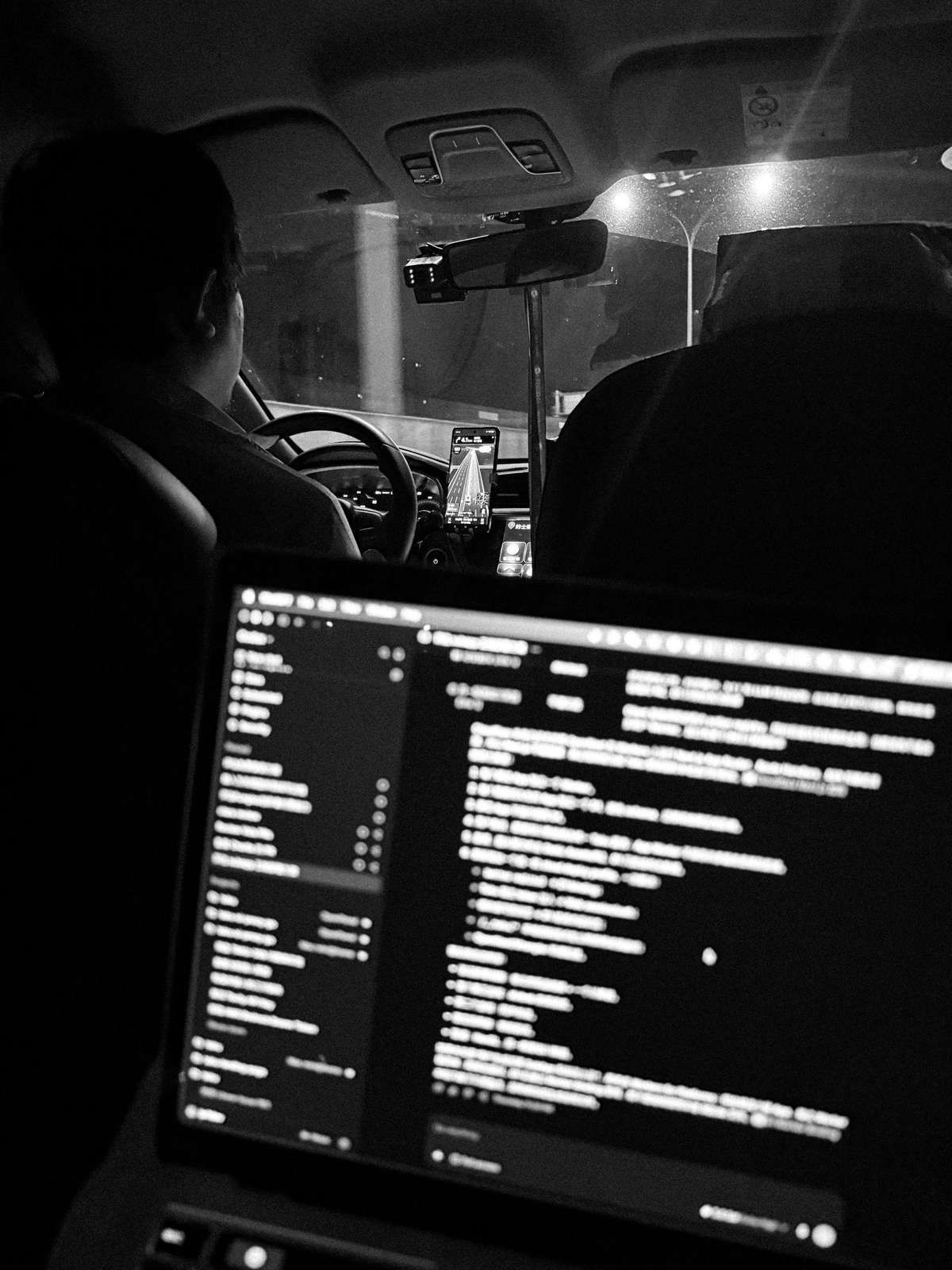
I think I’d already changed my mind about cameras by the time I went to Qingdao. I brought one with me, but I didn’t really want to, and I no longer feel like a camera has to come on every trip. A phone is a perfectly good camera, and I’ve taken a lot of photos with mine. The only thing I really hate is how aggressively Apple’s engineers sharpen everything. But with a little editing, they’re not bad. Tim from MediaStorm has said something along the same lines: getting the shot matters more than getting the perfect shot.





2026-07-20 08:00:00
“Did you come alone?” the receptionist asked while I was checking in. I paused for a second and said, “Yes.”
It was a very easy question, since there was only one name on the booking and no one was standing behind me, but for some reason, that question made me think of my friends.
I came to Shandong for a six-day solo trip, and I still don’t really know why I chose this place. Qingdao and Weihai sounded interesting, driving along the coast sounded fun, and that was pretty much it. I was excited at first: I landed, picked up the rental car, played Afro House, and started driving. I didn’t need to wait for anyone or ask where they wanted to go, I could wake up whenever I wanted and change the plan at any time. I usually enjoy spending time alone, so I thought I would be good at travelling alone too... I mean, what could go wrong?
Until I found something fun and had no one to share it with.
I wanted to post on WeChat Moments, but I didn’t want my parents to know any of it. I wanted to post Instagram Stories or send everything to my friends, but I was also worried that I was sharing too much and becoming annoying, so I took a lot of photos and videos and kept most of them to myself.
Eating alone also sucked. I saw a lot of food I wanted to try, but there was no way I could finish all of it, and even when I ordered less, I still had leftovers. Sometimes I packed them back to the hotel, but cold food usually tasted bad, and not every hotel had a microwave.
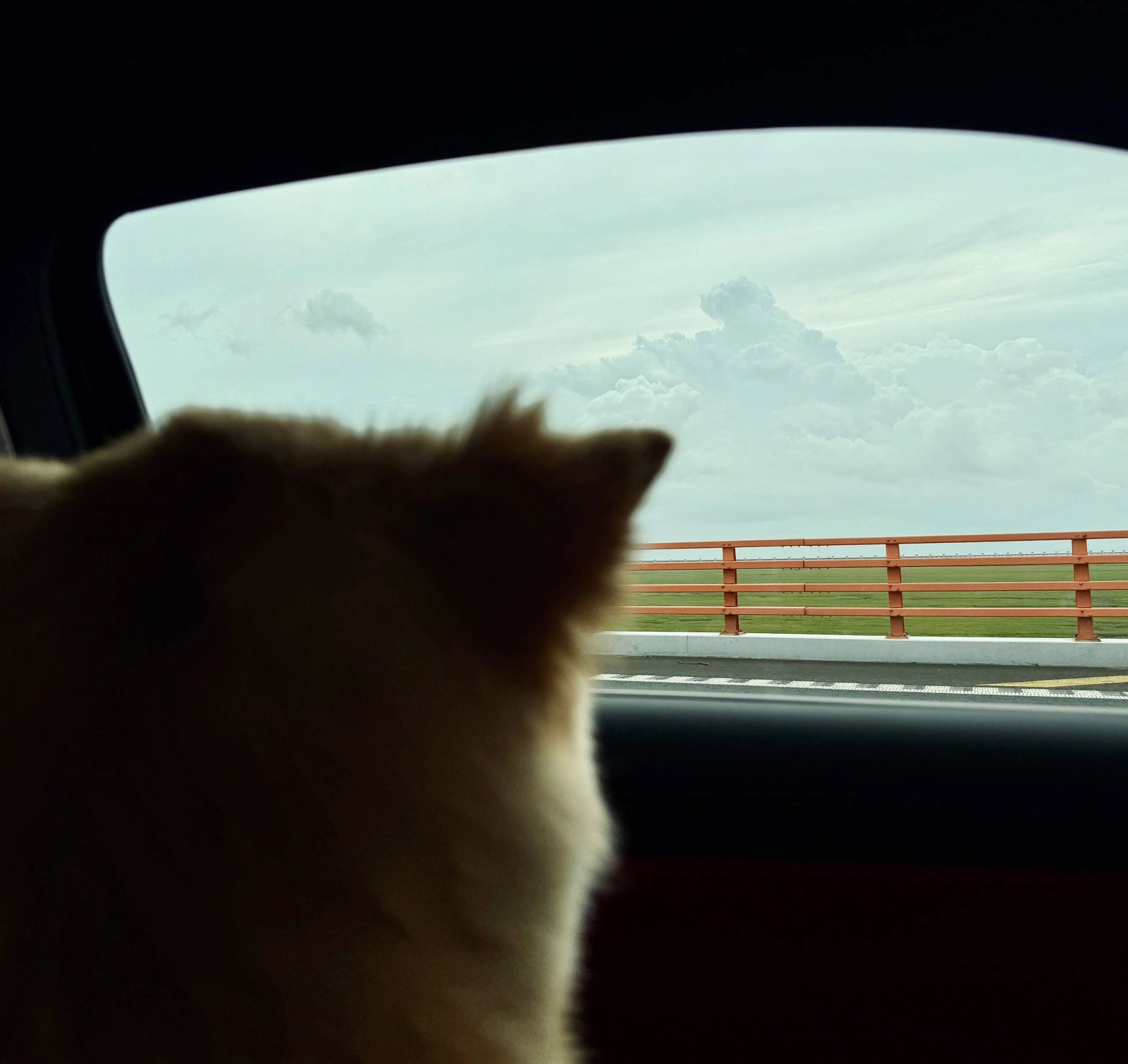
I brought my camera too, and I did shoot with it a little, mostly around the beer street in Qingdao, but those photos are still sitting on the SD card, since I never felt like importing them, let alone editing or posting them. I later realized why: I don’t just like taking photos of my friends, I like taking photos when my friends are around. They might be in the frame, looking stupid or looking cool, or they might not be in it at all, but what matters is that the photo means something to us. Without that, buildings and the sea were just buildings and the sea, not worth the effort of opening Lightroom, and the camera was pretty much just extra weight in my bag. I still took photos and videos with my phone while driving, which I knew was dangerous and stupid, but if I didn’t record anything, it felt like I came all this way for nothing.
I stayed in Yantai for 2 nights, and it kept raining. Actually, I didn’t get a single proper sunny day during the whole trip, every beach I went to had the same grey sky, with broken shells and random trash all over the sand, not even close to the beaches in Haikou, Sanya or Pattaya. Qingdao beer wasn’t as good as I expected either, and at that point, staying in Shanghai and playing pool or watching a movie with my friends sounded much better.
At night, I was lying on the hotel sofa, imagining the exact same evening with someone else there. We probably wouldn’t have done anything special, maybe ordered some food, watched something stupid, or just sat there doing nothing. The rain, the hotel, and Yantai would have been exactly the same, I just wouldn’t have minded any of them as much.
Weihai didn’t look any better at first. When I arrived at the Blueways shipwreck, the fog was so heavy that I could barely see the sea, and I thought I had come all this way for nothing again. But after waiting for around two hours, the sun finally came out, the fog slowly cleared, and I could finally see the ship. I took a few photos I liked, and below is my favourite one, which made Weihai the best part of the trip.

So the trip wasn’t completely bad, I was still curious about the world, and maybe I still like being alone, I just don’t like doing everything alone. Almost every day during the trip, I had the same thought:
I wish those idiots were here.
2026-04-18 08:00:00
So, last time I said vibe coding makes me stop thinking, guess what? In certain cases, things are even worse.
Normally, when I go "cave mode", a programming session looks like this:
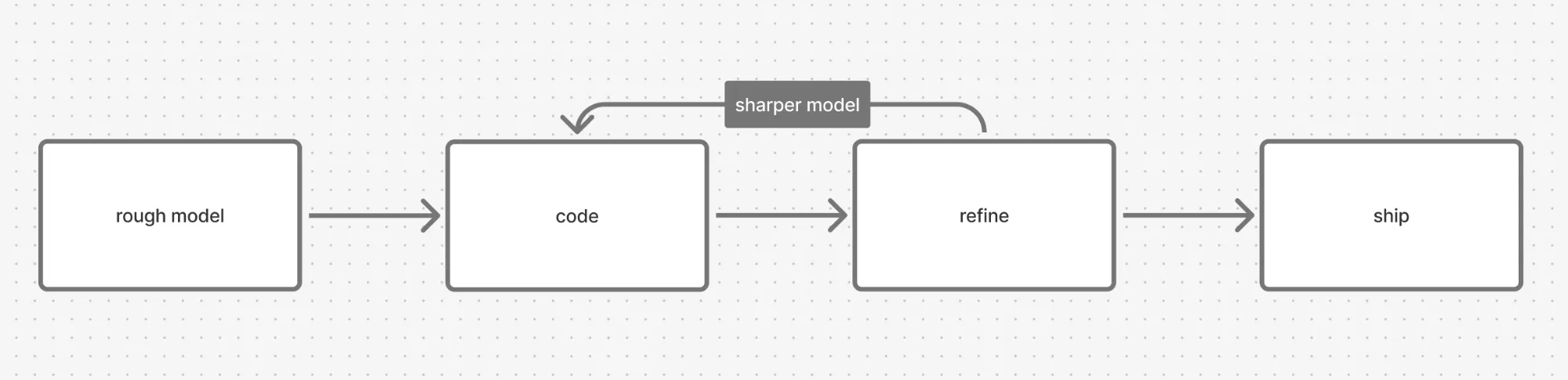
One context, one head, uninterrupted flow.
Now, with vibe coding, it looks like this:
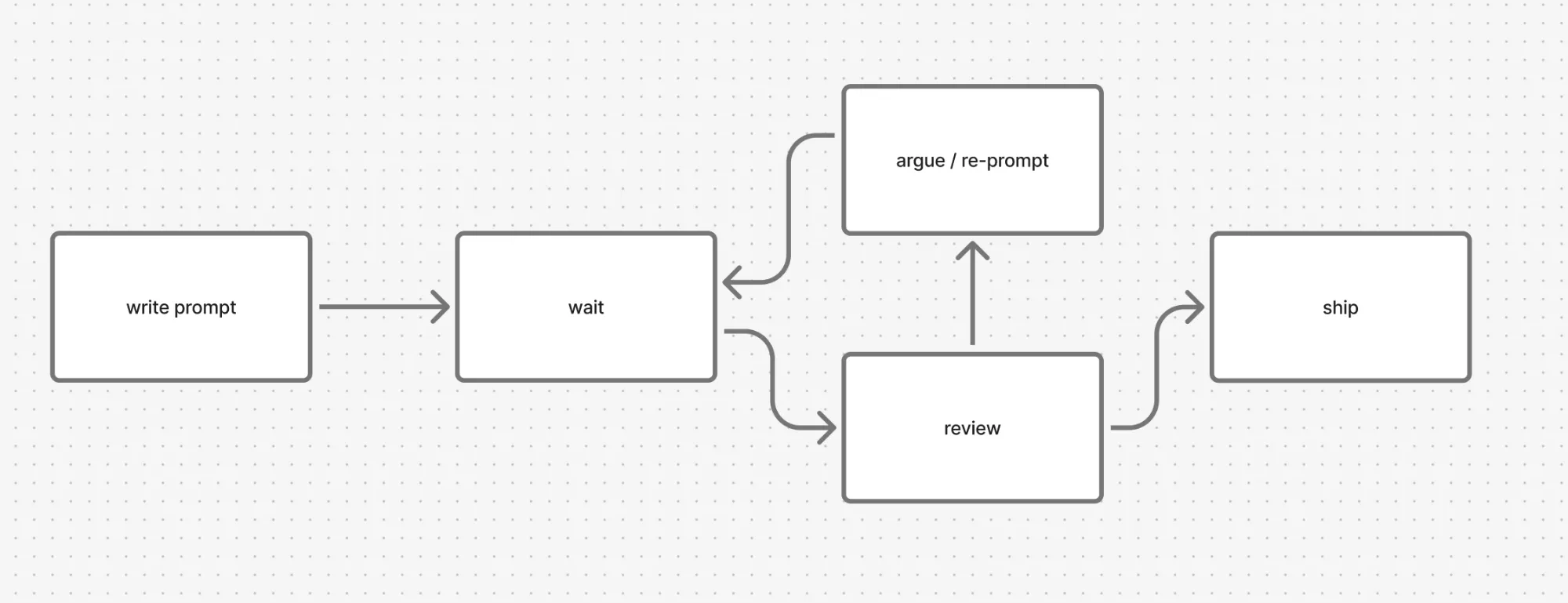
In cave mode, building the mental model doesn't really stop at the rough mental model. I start with one, sure, and when I get stuck I go back to it. But I never leave the context. Every line I write tests an assumption, every edge case sharpens the mental model a bit more. Building the mental model and coding are the same thread.
Vibe coding cuts that thread. I'm not the one typing, so the only window where my mental model can grow is the plan. After that the agent goes off and writes in my name, and my understanding just stops while the codebase doesn't.
On small and contained work, AI really is faster, but on anything inside a big monolith, the speedup vanishes and the work just changes shape: the part where I build the mental model is gone, replaced by review, argue, and frankly, cursing the shit out of it. Devs know 🤷♂️.
Like I said in pt.1, plan mode isn't upfront thinking. On the surface it looks like it is, the agent reads some files, gives me a plan, I approve, then I grab a coffee or something and let it cook, chill as fuck, right? But that plan was built from whatever fit in the context window, and even today's LLM context windows are still severely limited. They can't hold a whole codebase, not to mention that some coding agents tend to load even less. So the plan can't see the invariants in my head, the reasoning buried in commit messages, the constraints discussed in Lark threads months ago. Once I approve, a wrong premise could quietly become the foundation.
 src/api/handlers/orders.ts        |  892 +++++++++++++++++++++++-----------
 src/services/inventory.ts         |  421 ++++++++++++++++++++--------------
 src/db/migrations/0042_orders.sql |  287 ++++++++++++++++++++
 src/components/Dashboard.tsx      |  248 +++++++++++++++--------
 ...
 138 files changed, 4577 insertions(+), 3212 deletions(-)
That's what every argue cycle later is trying to correct, and the cost is higher than it looks, because I can't build the mental model at the same time. Prompt-writing and problem-modeling fight for the same brain space. Writing a prompt pulls what's in my head out into words, while building a mental model pulls the problem in. I can't do both at once, and every prompt-wait-output cycle wipes out a bit of the mental model I was holding.
And even if the mental model is somewhat clear, on a large codebase or a huge monolith, I probably won't review the code line by line, in most cases, I won't even look at a single line, yet still hope that everything is working as planned. Then I deliver it to the test team, and there goes another nightmare.
It clicked when I started thinking of AI as a junior. Except this junior writes way more lines than any human, never asks when in doubt, makes things up confidently, doesn't remember what I taught yesterday, and doesn't reflect on mistakes.
Teaching a junior is tiring, but at least it goes somewhere. They grow up, and after a year they're part of the system rather than a load on it. Teaching AI goes nowhere: every session starts cold, every fix gets re-broken next week, and the review load that would normally spread across ten juniors all lands on one senior.
If the senior is the only one still holding the mental model, and the senior gets ground down by argue-loops, the team's correction capacity drops to whatever the AI itself can do.
Which is: surface-level pattern matching on whatever happens to be in the context window.
AI doesn't see invariants. It can't see why a try/catch was added after an incident like 2 years ago, or why a field is non-nullable because a downstream pipeline crashes if it isn't, or why two endpoints exist for what looks like the same data because one is for one client and the other is for another client.
These invariants live in heads, in Lark, in commit messages, in the people who left last quarter. AI plans look reasonable and miss them anyway. Then the plan gets approved, shipped, and rewritten three months later by a different agent that also doesn't see them.
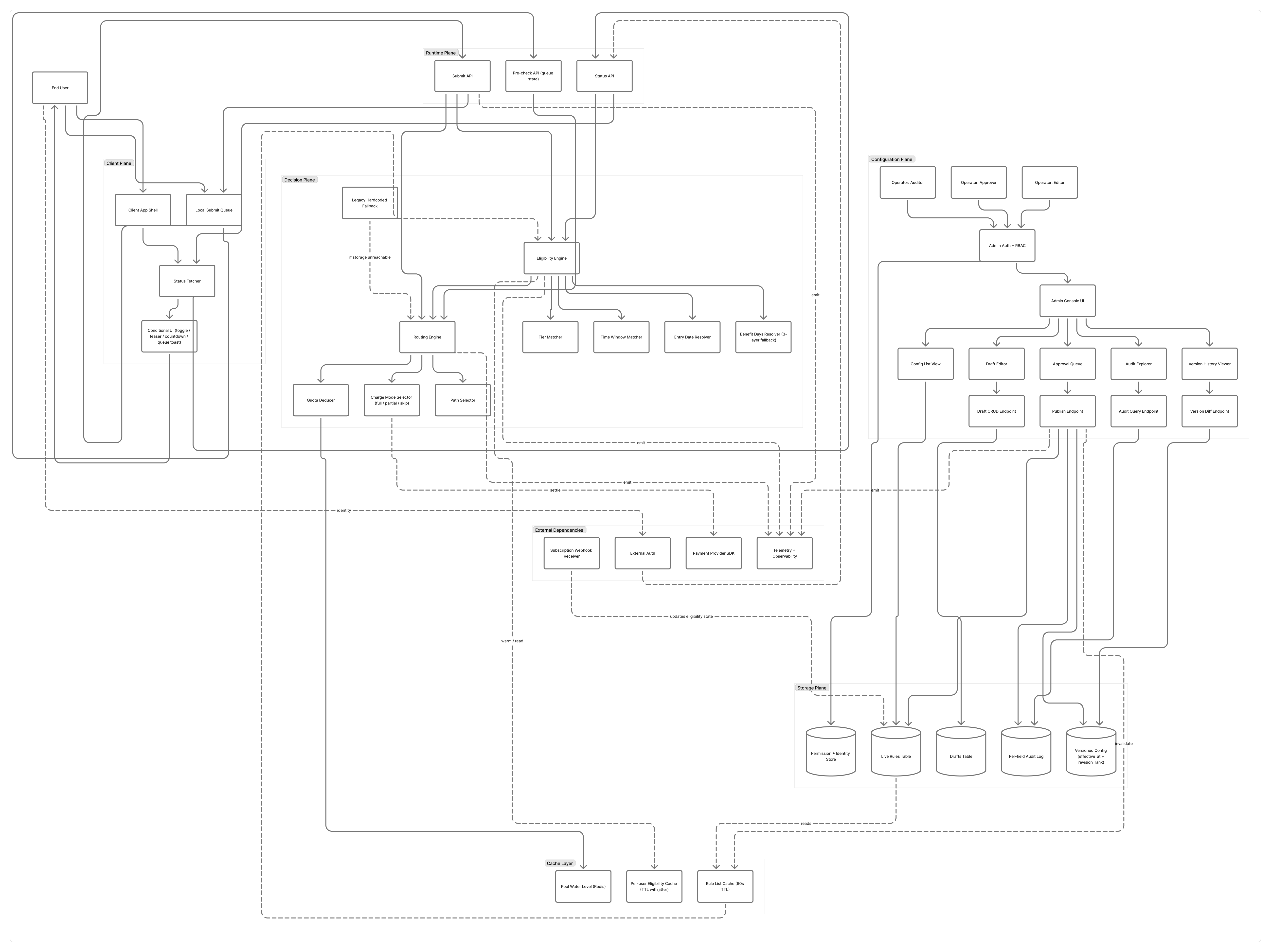
I've watched modules go through three "definitive" rewrites in a year for this exact reason. Every rewrite was locally correct, every rewrite was globally wrong, and none of them talked to each other.
The cost of vibe coding isn't the bad code it produces, bad code is recoverable. The cost is what happens to me while supervising it.
Reflection time gets eaten, mental models stop forming, and six months in the senior is busier and producing shallower work, while the team's actual ceiling is silently dropping toward the coding agent's.
I know there's a balance to strike with this stuff, and I just need time to find it.
2026-03-25 08:00:00
The more I use coding agents at work, the more I notice one thing: they make you stop thinking too early.
I am not saying that we should avoid using coding agents. I use these mfs a lot for bug fixes, rushed features, and dirty work. The speedup is real, and kinda insane, but something feels off.
In traditional development, the order is pretty clear. You think about the interface, the data structure, boundary cases, and tests first, and then you write code. Slower, definitely, but at least you have a whole picture in your head and a much better chance of knowing why the thing works.
Now it is the opposite.
You ask a coding agent to build on top of an existing project, and let me guess, the prompt is gonna be something like:
"Hey my boss just told me to do this, implement it."
Then you drop in some markdown or whatever docs look like a feature request, wait for a while, and boom, the page renders, the API responds. It works. Once it works, you probably will not step back and look at the whole thing the coding agent just generated. Then these kinda so-called feature requirements or bug fixes keep coming one by one, again and again, and congrats, now you have a "shit mountain".
Illustrative engineering complexity by code base size:
| Code base size | Human-led AI coding | Pure vibe coding |
|---|---|---|
| Very small | 12 | 7 |
| Small | 22 | 12 |
| Medium | 32 | 24 |
| Large | 42 | 56 |
| Very large | 52 | 94 |
Illustrative only. This is about the slope, not measured data.
Upfront thinking is not just writing a todo list or turning on plan mode in a coding agent.
Real upfront thinking is modeling. What is the core object? Which values are real state and which are derived? Where is the module boundary? If we get three similar requirements next month, can this shape absorb them? At which layer should the tests exist? And at which point will this system break?
This part is not sexy. It kills your brain cells like hell, and it will not show up in a weekly report. But it is what makes engineering hold up over time.
Current coding agents are pretty much all LLM-based. They all have context limits, which means they forget things.
Today you patch a module and push with one commit that looks like +18914 / -7986. Tomorrow you say, "we can clean it up later." But cleanup rarely happens, especially when you are working in a team. The same module might even get reused by other humans or coding agents in no time. And nobody will know why something exists or why a simple refactor breaks everything after just a few weeks.
Then you start using a coding agent to debug it. It reads the git history, sees the commit author, and says, "huh, it was you!" 🤡
Nah fuck off.
I keep seeing people online claiming that zero basics and a few weeks of vibe coding are enough to build production-ready apps. Some even have the nerve to walk into interviews like that 🤷. I do not deny that people learn fast, but getting something to run and building a system are two different things.
Interface design, data modeling, complexity control, and technical debt intuition haven't really become outdated. If anything, they matter even more now.
Implementation is cheaper. So the decisions that keep a system clean are more valuable. Coding agents can write a lot of code, but they do not know what to keep simple, what to not do, and what will be painful to change later.
I will keep using these tools. They are too useful to ignore. But the easier it becomes to say "just make it work first", the more I need to remind myself not to skip the thinking part.


