


2026-08-05 23:55:00
Le Dacia Jogger cache un petit piège dans sa troisième rangée. Sur chaque siège arrière (les places 6 et 7), une languette rouge sert à libérer le mécanisme pour le relever. Le souci, c’est que cette languette peut se détacher.
Et là, mauvaise surprise : une fois les sièges rabattus, impossible de les relever. On arrive seulement à rabattre le dossier, mais le mécanisme qui permet de relever l’assise reste verrouillé et le siège refuse de revenir en position debout.
J’ai passé une bonne demi-heure à tourner autour du problème avant de trouver la bonne astuce. La voici car je sais que je ne suis pas le seul à avoir eu ce problème.
Tout se joue depuis le coffre. Il vous faut un objet dont la tige est assez fine pour se glisser dans les encoches, mais suffisamment solide pour supporter une bonne traction. Favoriser un outils coudé. C’est beacoup plus facile. Dans mon cas, j’ai utilisé un manche de rouleau à peinture.
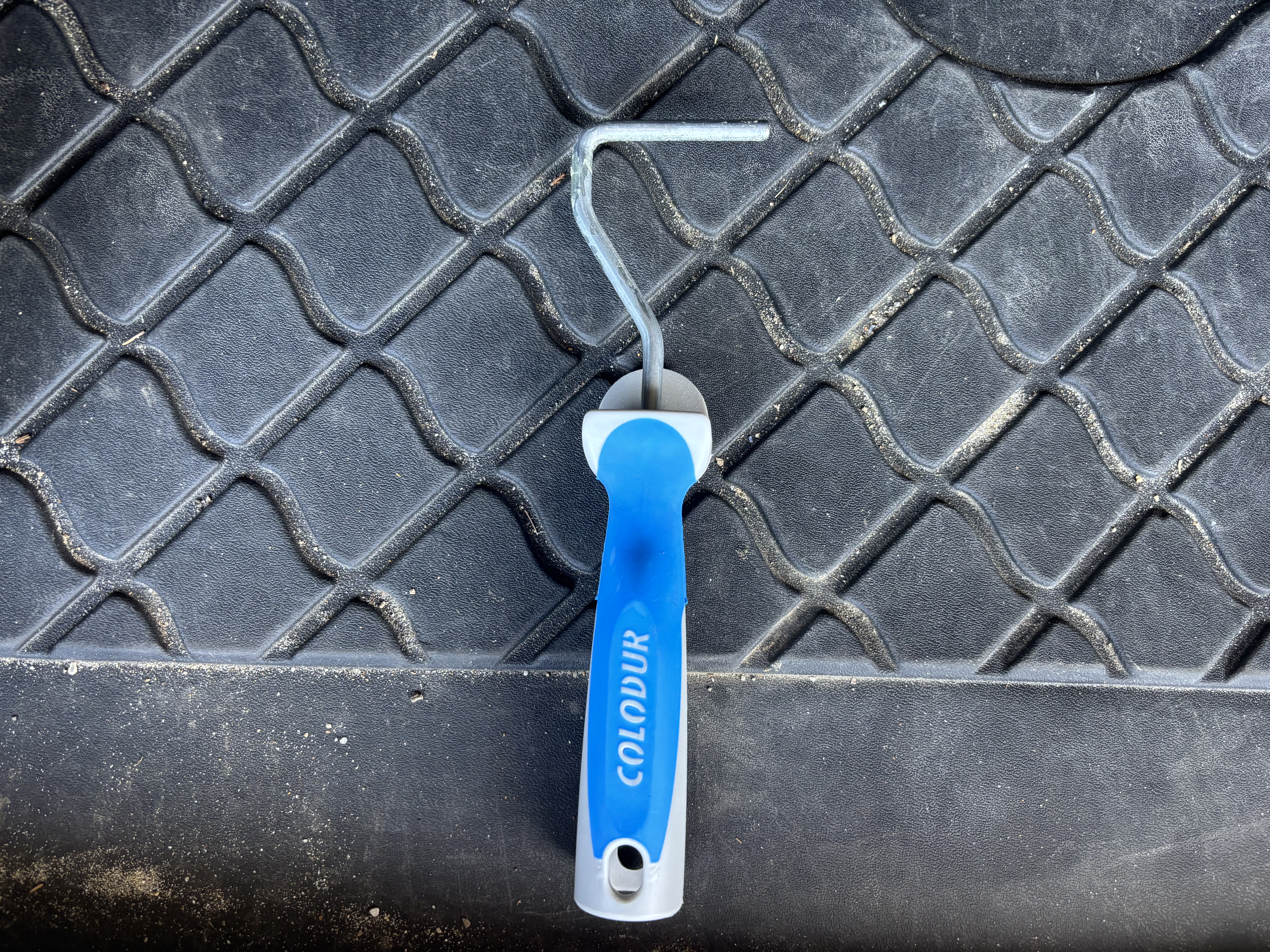
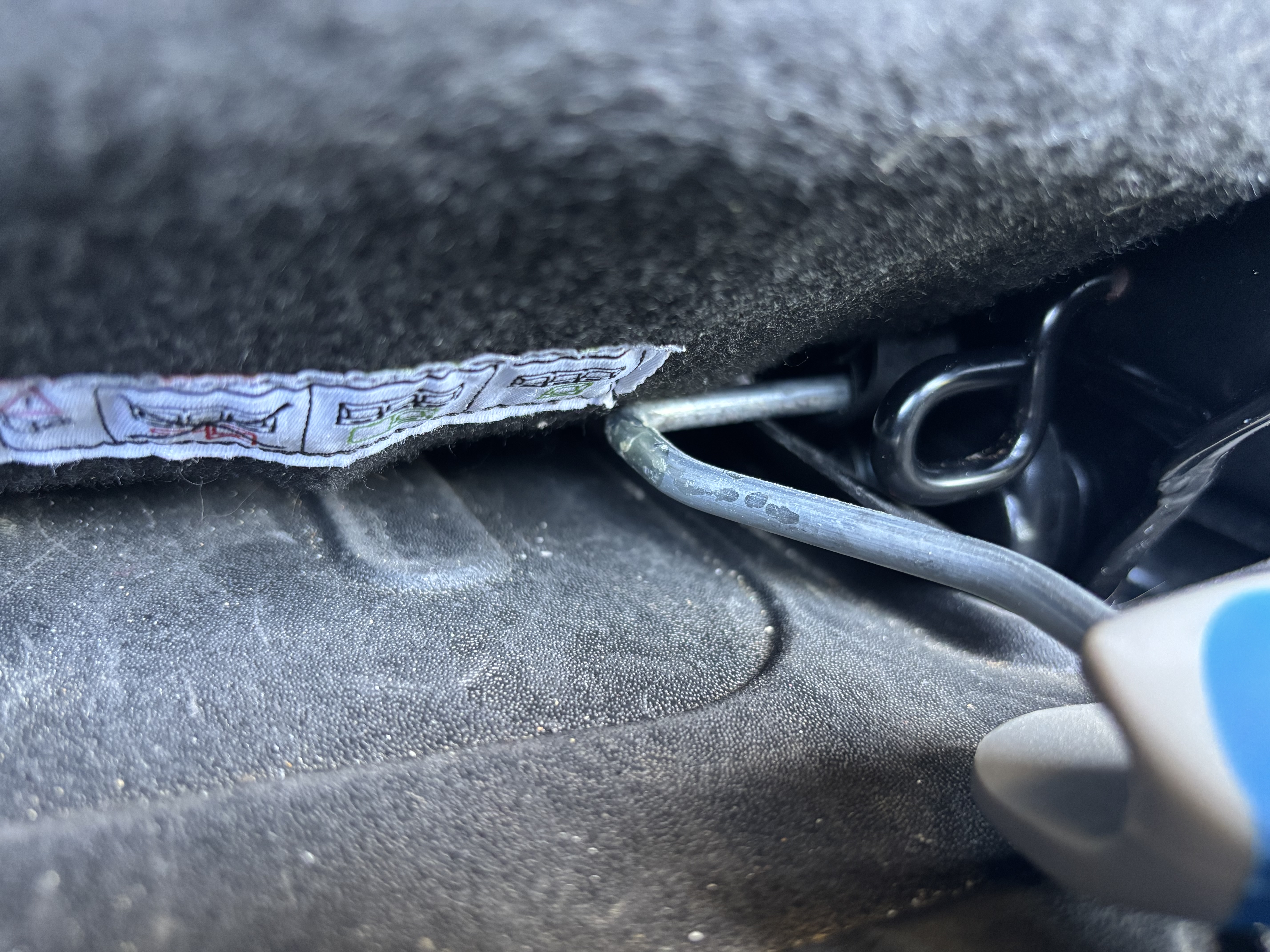
Le siège se débloque assez facilement et vous pouvez le relever normalement.
2026-07-12 20:00:00
I’ve made a few updates to my Bartender triggers that allow me to switch configurations depending on whether the screen has a notch or not.
Only one script is now required.
#!/bin/zsh

# ==============================================================================
# Script: detect_main_display.sh
#
# Purpose:
#   Detects whether the MAIN display (the one with the menu bar) is an
#   EXTERNAL monitor or the INTERNAL MacBook screen.
#
# Output:
#   - Prints "true"  and exits 0 if the main display is EXTERNAL (no notch)
#   - Prints "false" and exits 1 if the main display is INTERNAL (has a notch)
#
# Notes:
#   - Works whether the MacBook lid is open or closed (clamshell mode).
#   - When the lid is closed, macOS doesn't even list the internal screen,
#     so the internal block simply won't exist in the output.
#   - LANG=en_US.UTF-8 forces system_profiler to output in English,
#     regardless of the system's configured language, so the string
#     matching below stays reliable.
# ==============================================================================

# Step 1: Get the full display info from macOS, forced to English output.
DISPLAY_INFO=$(LANG=en_US.UTF-8 system_profiler SPDisplaysDataType 2>/dev/null)

# Step 2: Default assumption is "main display is NOT internal"
# (this will be flipped to "true" only if proven otherwise below).
MAIN_IS_INTERNAL="false"

# Step 3: Split the system_profiler output into one "block" per display.
#
# Each display starts with a line indented by exactly 8 spaces followed by
# a name and a colon, e.g.:
#     "        S34C65xT:"
#     "        Color LCD:"
#
# We can't split on blank lines (system_profiler doesn't always insert one
# between displays), so instead we use awk to start a new block every time
# we see a line matching that exact indentation pattern.
#
# Each finished block is emitted with a NUL byte (\0) separator instead of
# a newline, because display names/properties could theoretically contain
# newline-unsafe characters — NUL is the safest delimiter for `read -d ''`.
while IFS= read -r -d '' BLOCK; do
    # Step 4: For each display block, check if it is BOTH:
    #   - the main display ("Main Display: Yes")
    #   - AND an internal display ("Connection Type: Internal")
    # These two lines only appear together in the SAME block for the
    # internal MacBook screen when it is currently the main display.
    if [[ "$BLOCK" == *"Main Display: Yes"* ]] && [[ "$BLOCK" == *"Connection Type: Internal"* ]]; then
        MAIN_IS_INTERNAL="true"
    fi
done < <(awk '
    # Detect the start of a new display block: exactly 8 spaces of
    # indentation, then a non-space character, ending with a colon.
    /^        [^ ].*:$/ {
        # If we already accumulated a previous block, flush it out
        # (separated by a NUL byte) before starting the new one.
        if (block != "") printf "%s\0", block
        block = ""
    }
    # Accumulate every line (including the header line) into the
    # current block.
    { block = block $0 "\n" }

    # Flush the very last block once the input ends.
    END { if (block != "") printf "%s\0", block }
' <<< "$DISPLAY_INFO")

# Step 5: Output the final result based on what we found.
if [[ "$MAIN_IS_INTERNAL" == "true" ]]; then
    # Main display is the internal MacBook screen (has a notch)
    echo "false"
    exit 1
else
    # Main display is an external monitor (no notch)
    echo "true"
    exit 0
fi2026-06-14 19:15:00
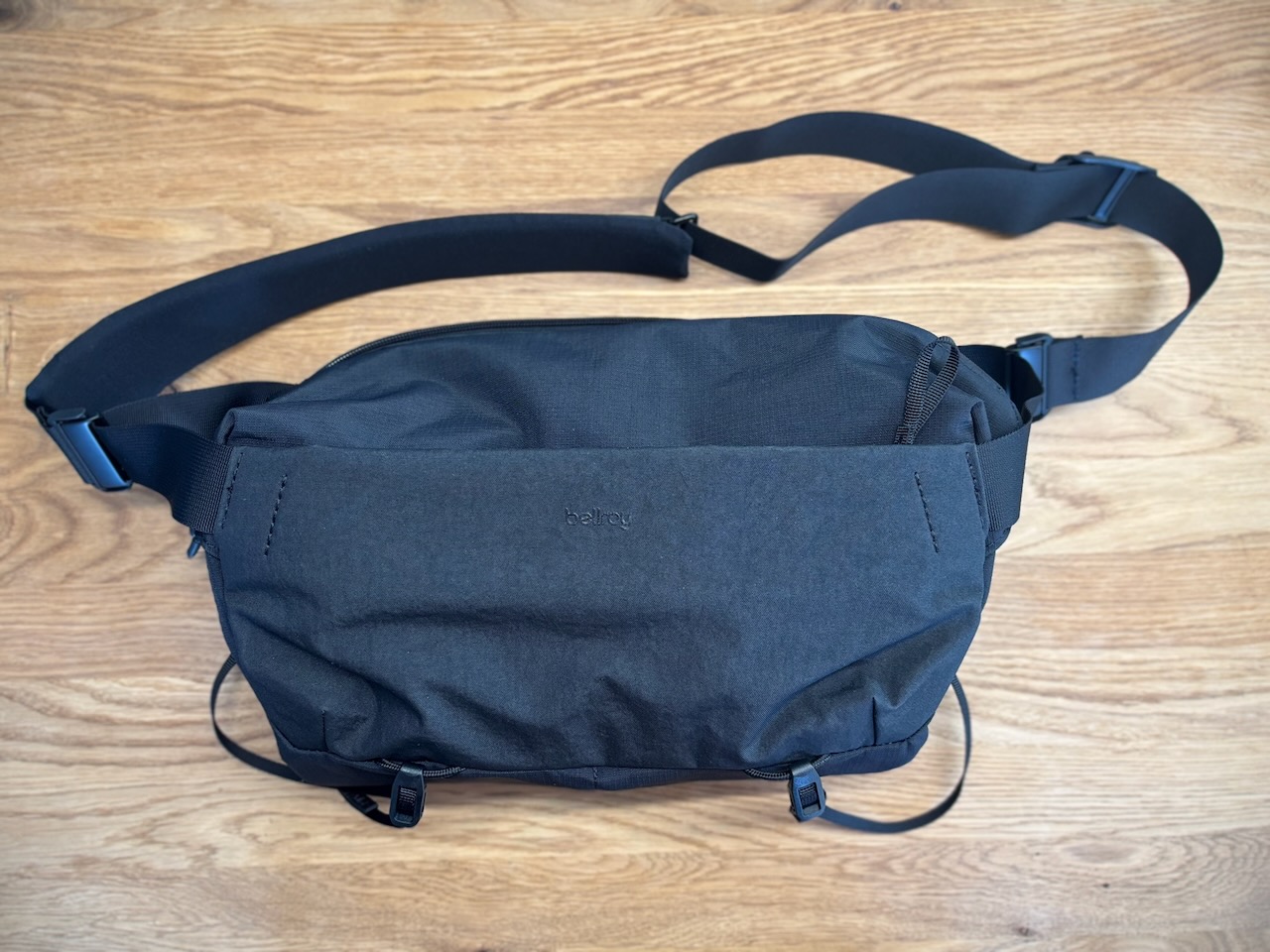
The Bellroy Venture Camera Mag is a 10-liter camera sling bag, sold for around 200 CHF, but you can find some deals if you dig around. It targets photographers who want to carry their gear without looking like a cameraman on the go.
I was looking for a discreet, simple, and comfortable camera bag for everyday use. Not something that screams “camera gear” on every street corner. I wanted a minimalist, sturdy, and elegant enough item to take with me everywhere without drawing attention.
At first touch, the bag really inspires confidence. The finishes are neat, the construction feels robust, and the whole thing remains flexible without feeling fragile. It’s exactly the kind of object you’re happy to hold in your hands.
This is where the bag stands out, and here is how I organized it.
The large main pocket contains two sewn-in dividers, so they are fixed but can be moved laterally, allowing you to create up to three compartments depending on the setup. I currently store my Fujifilm X‑E5 in it, along with a Polaroid Flip and one or two extra pancake lenses. On the sides, two elastic pockets hold my cleaning cloths, straps, or AirTag. A small interior zippered pocket is perfect for SD cards and other small accessories.
On the outside, a front zippered pocket gives me quick access to spare batteries, pens, or small everyday items. Everything has its place, and you eventually stop thinking about it. That’s the sign that the organization works.
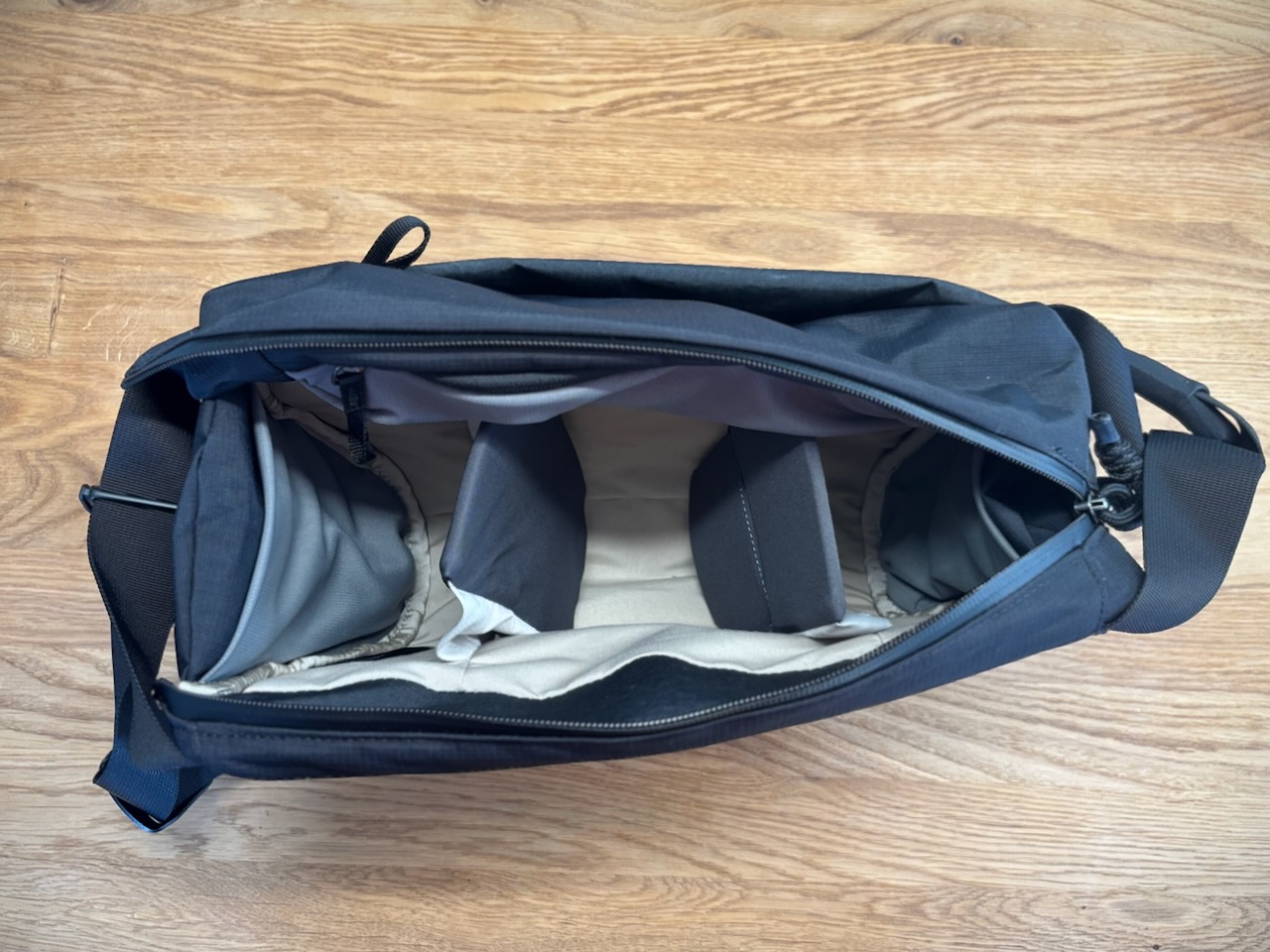
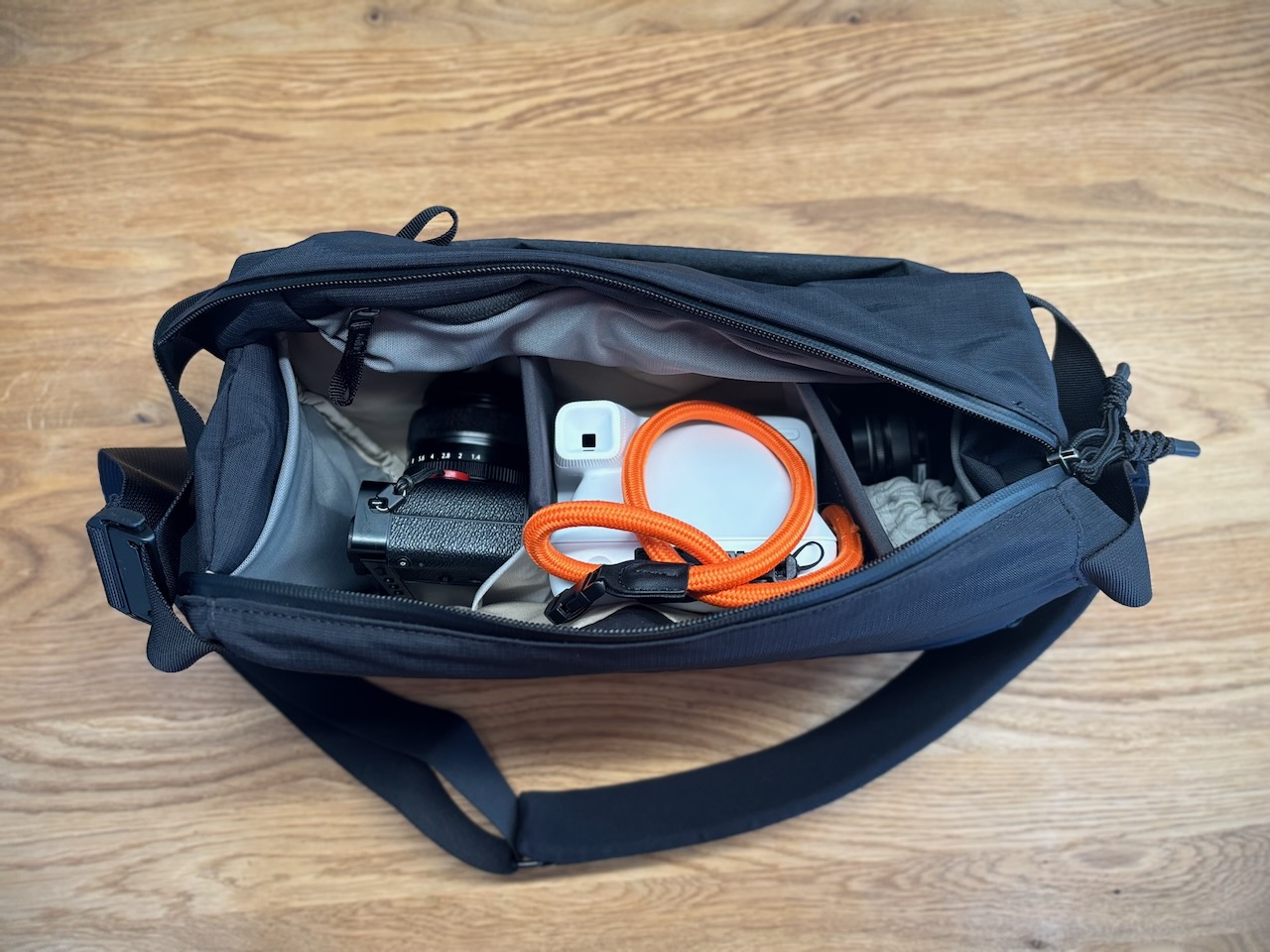
The dividers, actually, are a double-edged sword. Since they are sewn to the bottom of the bag, it’s impossible to remove them completely. An A5 notebook that I use for my bullet journal doesn’t fit without juggling their position. And when you push them aside to make room, the devices risk touching each other. A full-width space would have been welcome.
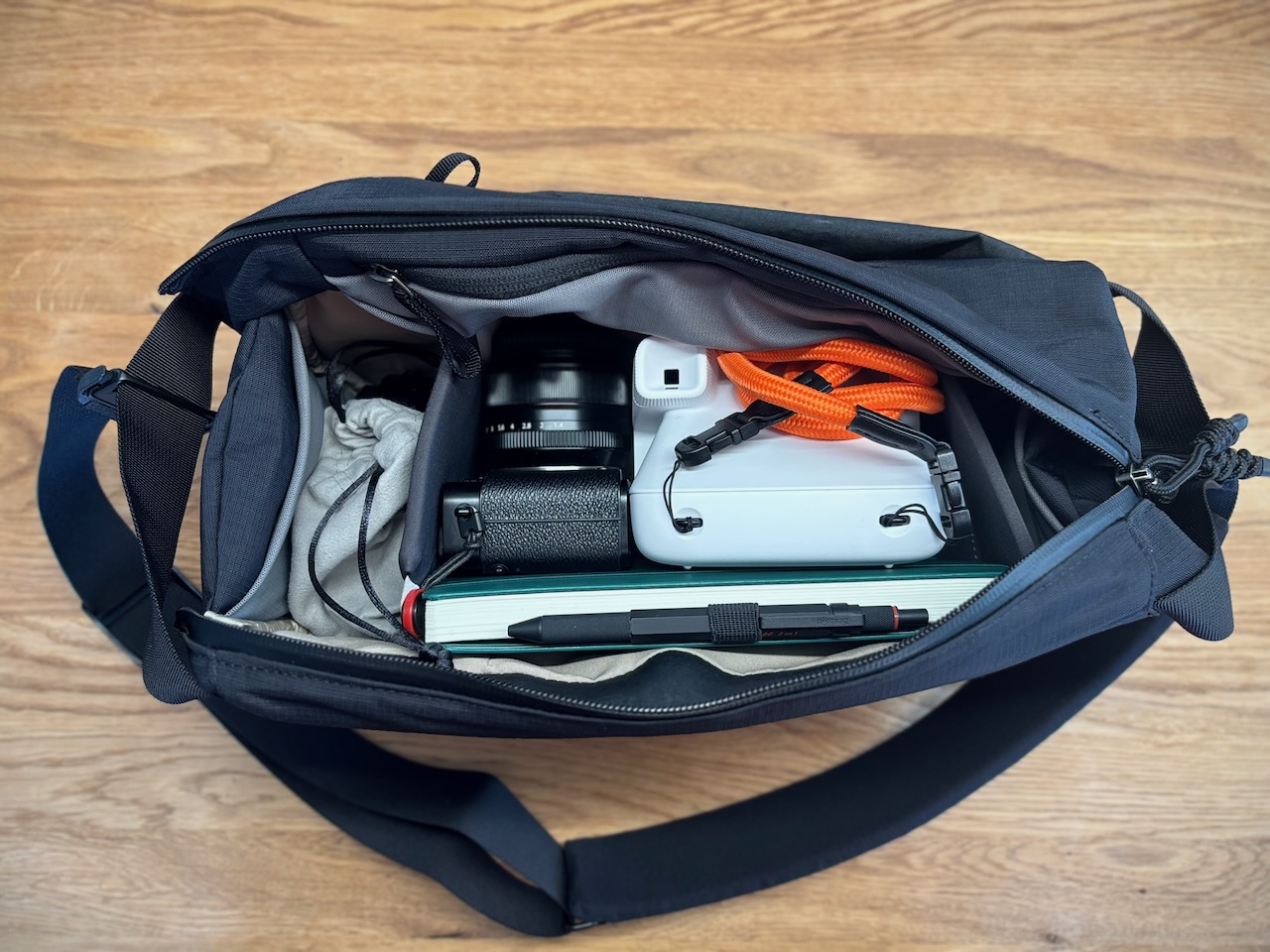
The other point worth raising: the advertised 10-liter capacity seems generous to me.
It’s a compact bag. But if you go in with the idea of a “spacious” bag, you might be surprised.
This bag is often criticized for the lack of a top handle. I understand the criticism, but personally, I don’t share it. The two side handles are perfectly sufficient to grab the bag quickly. And adding a top handle would, in my opinion, detract from what makes the design so charming.
It’s a bag I really appreciate for its style, quality, and practicality. But you have to see it for what it is: an everyday companion designed to carry the essentials, not to take everything with you. If you’re looking for a minimalist, well-built, and comfortable camera bag, it checks a lot of boxes. If you want space above all else, look elsewhere.
2026-04-28 03:05:00
Alan Schaller has a Patreon page where he shares his knowledge of the art of photography. If, like me, you love his work and street photography, I highly recommend subscribing to it.
Every month he runs a competition on this page based on a theme, which he judges himself.
The last one was on perspective and I was lucky enough to be among the 10 winners! That’s awesome!

It is a huge honour, as this community has so many talented photographers.
And it motivates me to keep learning and improving. Bearing in mind that I got back into photography 4 months ago after a hiatus of about ten years.

This photo was taken during a family gathering. We were throwing Easter eggs in our garden. One of my daughters, along with one of her cousins and their grandfather, were throwing eggs at each other. I placed myself in the middle, sitting on the ground, and the photo was taken looking upwards as they were throwing them. I was a bit worried about taking one on the head.
Perspective Competition Winners
Druuummm roll please… the winners of the perspective competition are (in no particular order):
Evan
@evangoldbergphotoAndy Davies
@one_camera_one_lenseMartin Wong
@maw_camera_rollJohn Barnes
@malvernphotoThomas Fritz
Alienlebarge
Saman Amin
@saman_m_aChristian Cyfus
IG: @christiancyfus IRYS : Christian_CyfusRomain Léger
Jed Best
I was really impressed with the entries for this one, there were some real stunners - but the ones that really stood out were these winners, they all captured perspectives in different ways, looking down, looking through, looking up, finding some very unique frames in locations etc. I thought they each had their own uniqueness, and quite a few made me really look twice and try to work out what I was looking at, which is something fun to see in a competition on perspective in particular.
(I couldn’t find a full name or instagram for some of you, so please comment below if you’d like me to update them).
My next competition is going to be on light: hard light, soft light, backlight… front light for that matter. To enter, just head to the chat section and look out for “Light Competition”, and 10 winners will be selected to appear at the end of our next YouTube episode.
Well done again to the winners, and thanks to everyone for their submissions - you got involved!
Alan
The photos of the winners are featured in his latest video.
2026-02-11 05:20:00
I have to admit, YouTube eats up a good chunk of my day.
When I watch one video, I get sucked in by the suggestions, and instead of just staying for a 15-minute video, I always find myself still glued to the screen 30 minutes later.
Let’s start a little experiment. Since I have no self-control, I need technology to help me out.
For the next few days, I’ve configured my apps to avoid being subjected to the YouTube algorithm.
To do this, I’m relying on three essential building blocks:
This setup allows me to do two things:
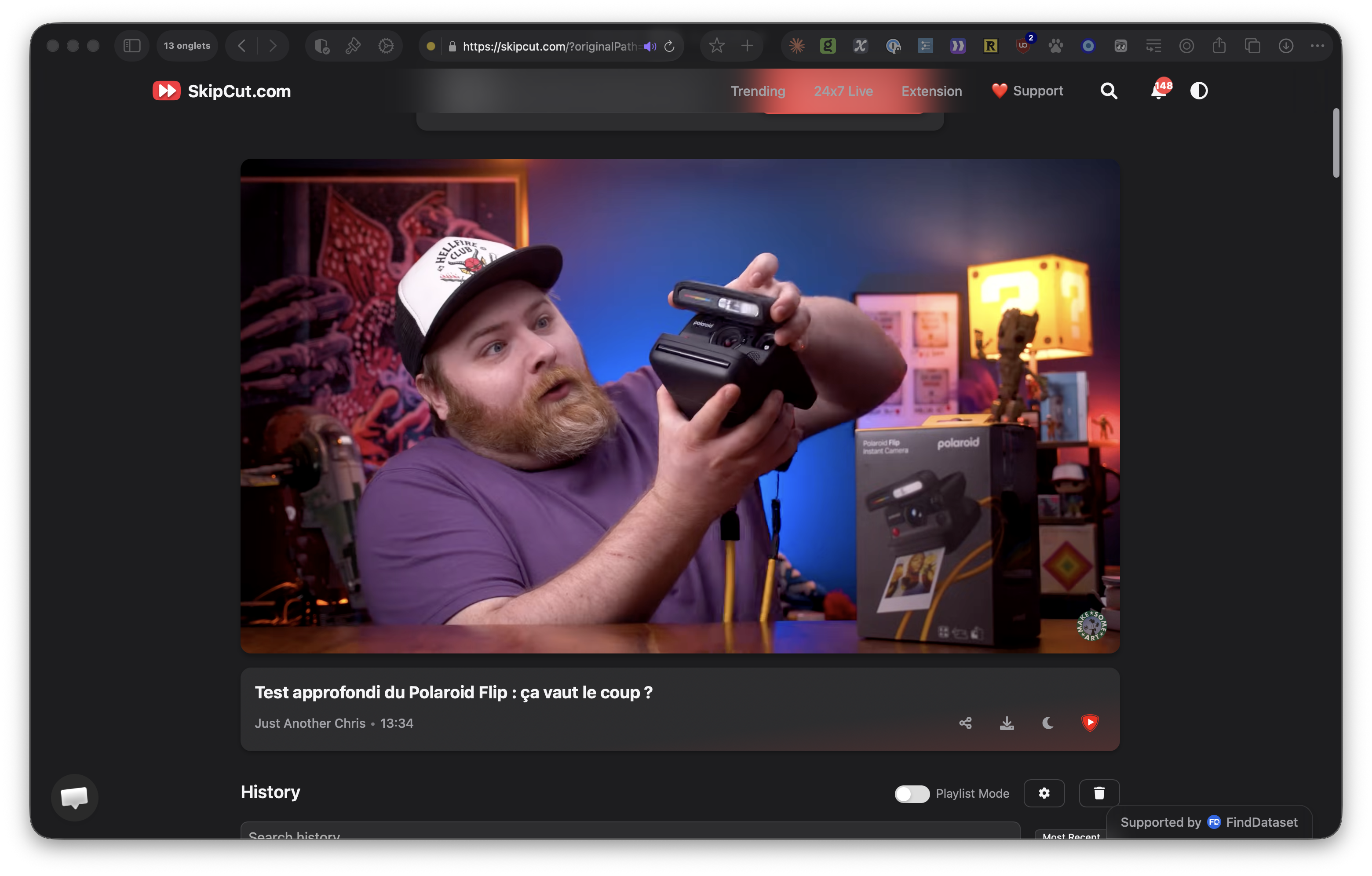
Skipcut is a website that removes all ads and suggestions. This will prevent me from clicking on the video that YouTube is suggesting on the same topic (or not).
To make this work, I apply the following rules:
Whenever I want to access a video link, RedirectWeb redirects me to Skipcut:
https://www\.youtube\.com/(.+)
https://skipcut.com/$1
From Kagi’s video search results page, I want to be redirected to Skipcut when I click on a video. In Kagi’s advanced preferences, you can configure redirects. Just use the following: ^https://www.youtube.com|https://skipcut.com
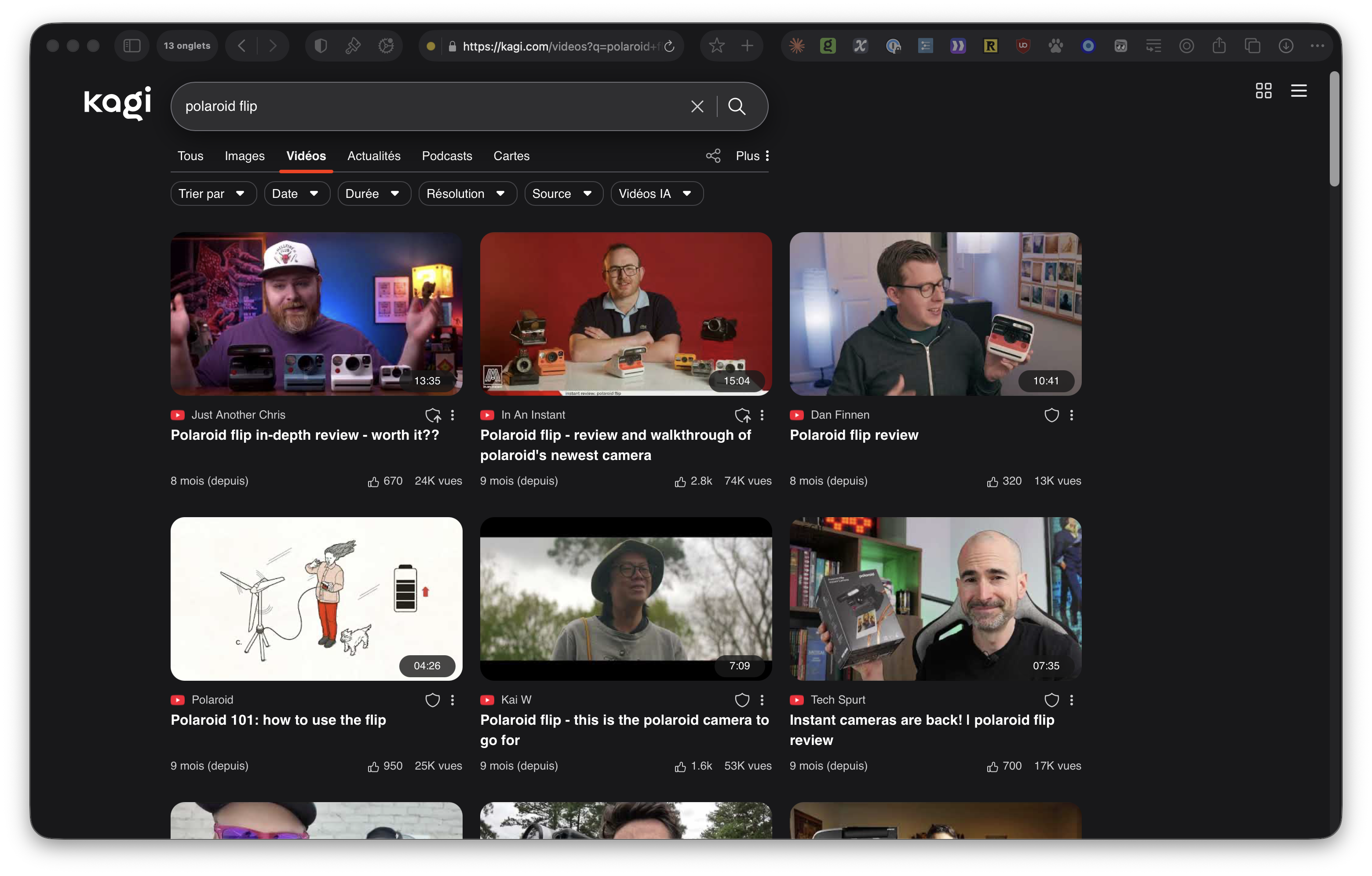
Instead of going to the YouTube homepage, I want to land on the video search page of the Kagi search engine. This will require me to be more deliberate in choosing the videos I want to watch by conducting targeted searches.
To do this, I use the following rule:
https://www\.youtube\.com/?$
https://kagi.com/videos?q=
2026-01-19 05:50:00
Here’s a short piece recorded live, born from the frustration following Switzerland’s loss to Slovenia in the European Handball Championship.
The entire track is built around a small sample, heavily processed by the Ectocore module.

